
Manipulate tables from 4D Write Pro widget
In 4D v18, we shipped a cool feature allowing you to easily manipulate tables with new commands and standard actions. We've got even more good news (e...

December 9, 2019
1 min read

In 4D v18, we shipped a cool feature allowing you to easily manipulate tables with new commands and standard actions. We've got even more good news (e...
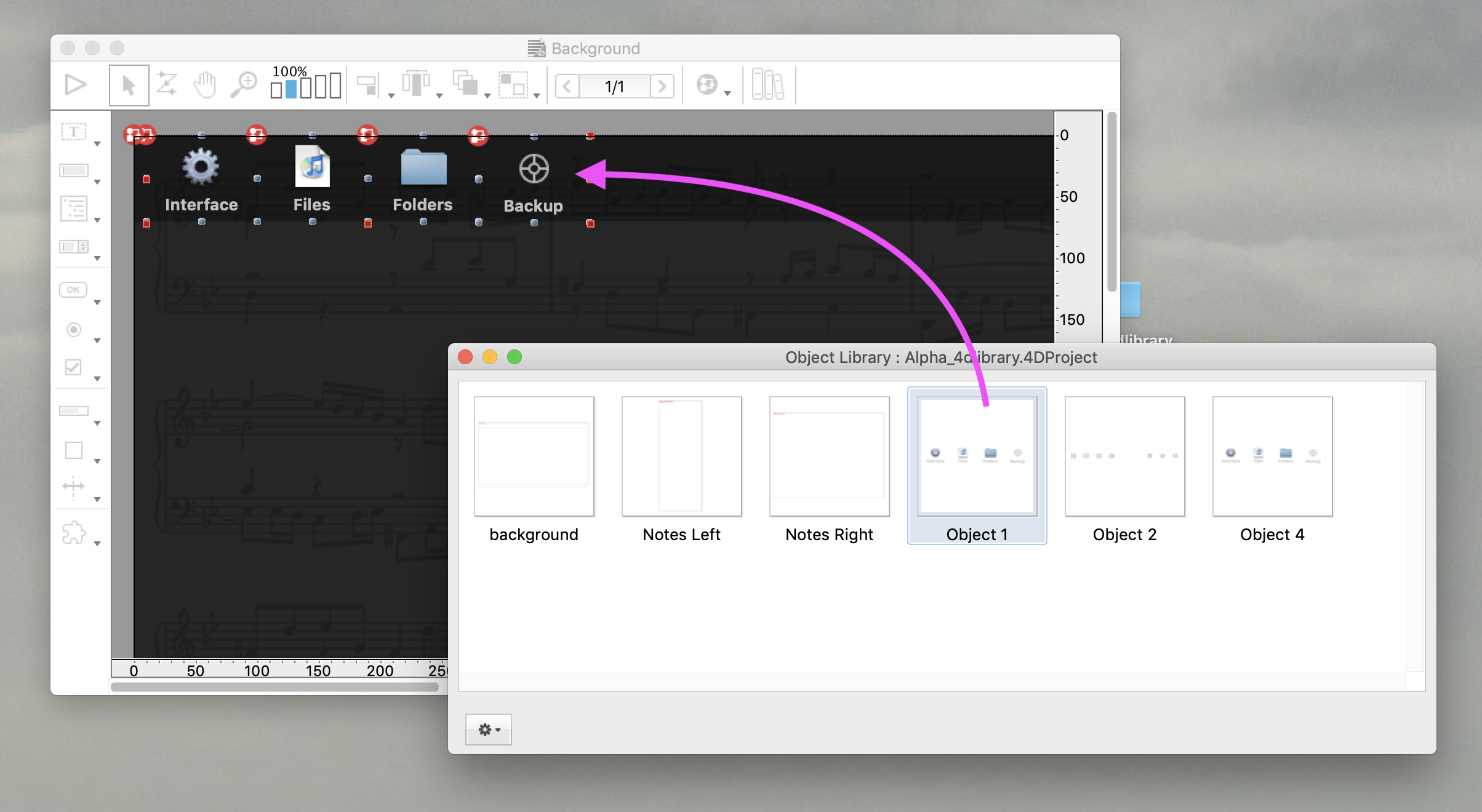
4D provides libraries to help you develop applications. One of these libraries is standard and contains preconfigured form objects and widgets, while ...


4D v16 R4 made your dreams come true with the delivery of a huge feature: tables. Real tables where text automatically wraps to fit the column size an...

When it comes to major product releases, 4D pays close attention to the color of the logo for each one. Since 4D v18, one of 4D's most revolutionary r...


Have you ever executed an action, nothing seemed to happen, and you didn't know if you should click again or continue waiting? There's no feedback pro...


Quick Report has been completely redeveloped in 64 bits and features are continuously being integrated. In addition to the UI improvements shipped wit...

View settings are used to define how a 4D Write Pro document should be displayed. Until 4D v17 R5, these settings could only be modified using the con...

Have you ever been flooded by confirmation dialogs, alert boxes, and contextual help windows that make it nearly impossible to locate the form window ...

The Quick Report user interface has had a small enhancement, but small things can make a big impact on the overall user experience. ...

4D Write Pro documents can be displayed in different modes (draft, page and embedded), each with their own viewing options. For example in Page view m...
Got a question, suggestion or just want to get in touch with the 4D bloggers? Drop us a line!
* Your privacy is very important to us. Please click here to view our Policy