
Quick Report: Manage callback methods and subtotal spacing
Quick Report has been completely redeveloped in 64 bits and features are continuously being integrated. In addition to the UI improvements shipped wit...

August 12, 2019
1 min read

Quick Report has been completely redeveloped in 64 bits and features are continuously being integrated. In addition to the UI improvements shipped wit...

View settings are used to define how a 4D Write Pro document should be displayed. Until 4D v17 R5, these settings could only be modified using the con...

Have you ever been flooded by confirmation dialogs, alert boxes, and contextual help windows that make it nearly impossible to locate the form window ...


The Quick Report user interface has had a small enhancement, but small things can make a big impact on the overall user experience. ...


4D Write Pro documents can be displayed in different modes (draft, page and embedded), each with their own viewing options. For example in Page view m...

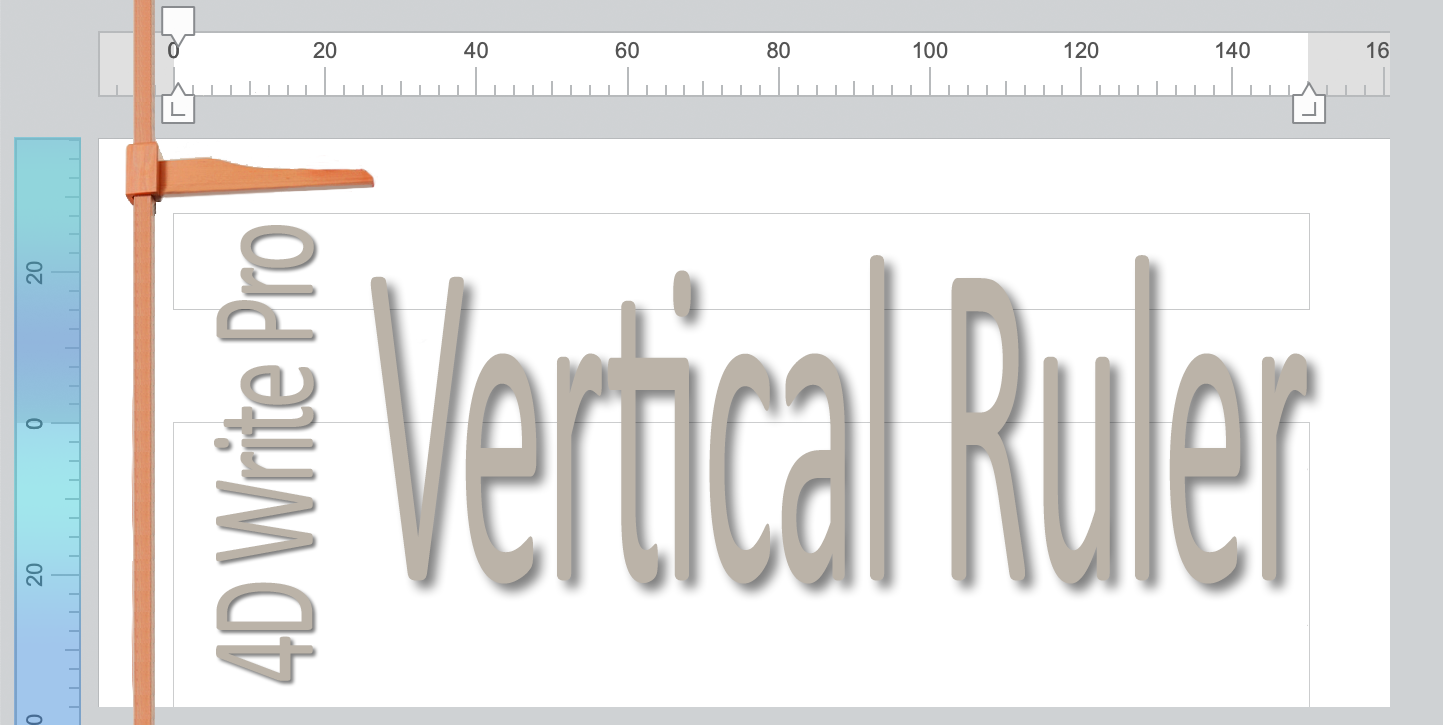
We're pleased to announce that a new feature has been added to 4D Write Pro. In page mode, a vertical ruler can be displayed on the left side of the p...

Do you need to access your 4D data from a web page but don't have a designer in your team? Are you uncomfortable designing the pages yourself because ...

4D Write Pro has no default interface because it's meant to be embedded in your application. Therefore, it needs to fit your user interface design and...

The dialog boxes created by Select folder and the dialog box opened by 4D have now been updated with the latest version of Windows File Explorer. The ...

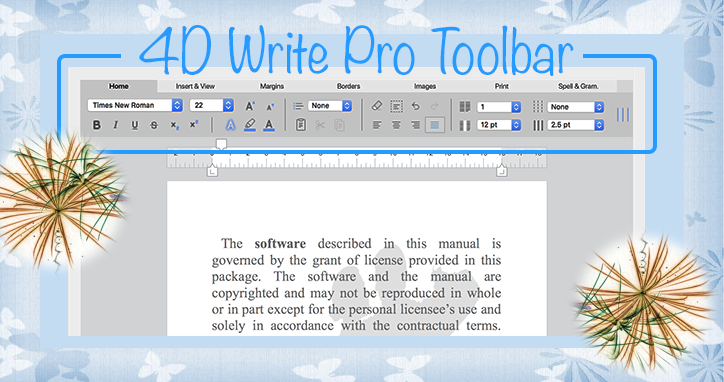
We couldn't be more thrilled to announce in 4D v17 R2 the birth of a new element in the 4D Write Pro Family: a new toolbar for 4D Write Pro! Thanks t...
Got a question, suggestion or just want to get in touch with the 4D bloggers? Drop us a line!
* Your privacy is very important to us. Please click here to view our Policy