
Preview your CSS directly in the form editor!
In 4D v18 R5, you can preview the final CSS rendering in the form editor WITHOUT running your dialog. Yes, you heard that right. Standardizing and rev...

October 21, 2020
1 min read

In 4D v18 R5, you can preview the final CSS rendering in the form editor WITHOUT running your dialog. Yes, you heard that right. Standardizing and rev...

The two 4D Write Pro Interface widgets continue to be enhanced with more abilities and functionalities in each release. For some of your applications,...

You asked for a way to import and export different document formats via the 4D Write Pro widget and once again, 4D listened! In addition to the 4D co...

Projects were introduced in 4D v17 R5. An architecture representing a giant evolution for 4D applications, projects opened the 4D world to source cont...


In a previous R-release, we added two new automatic themes to define font and the font size, so there are three automatic themes at your disposal whic...
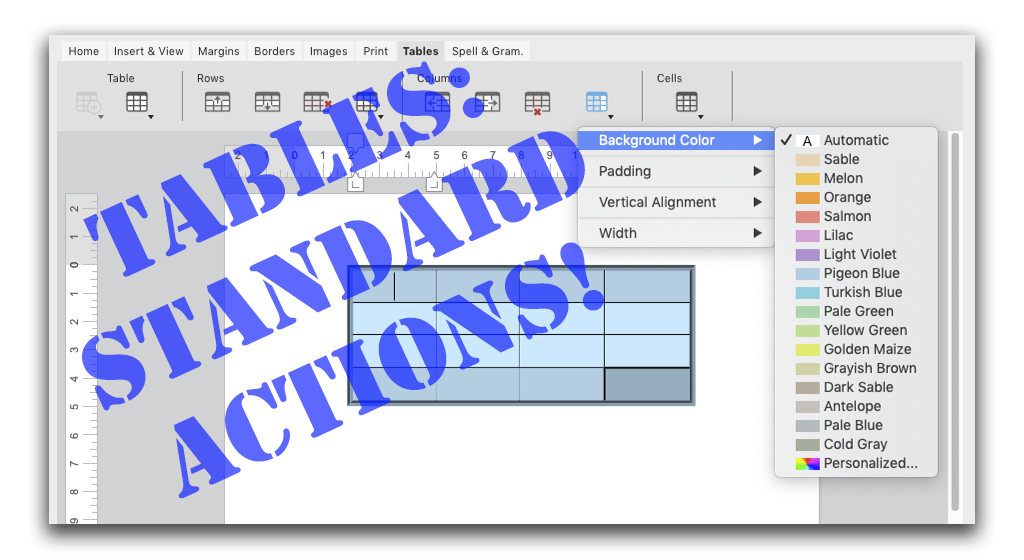
4D v18 R3 brings new standard actions to 4D Write Pro. They target tables and their elements (i.e., rows and cells). These actions let you to define a...


By now, you've surely discovered the new ability to identify your users thanks to the SET USER ALIAS command. In 4D v18 R2, the command's behavior has...


The Form Editor allows you to create, modify, and customize your forms. Several tools are available to make your work easier, one of which is the View...

Want to adapt your application's interface to your end user's system preferences? Want to make sure your application's interface isn't obscured by the...

With the introduction of project databases, we've also modified the interface of some 4D dialogs. In this blog post, we'll present some of the changes...
Got a question, suggestion or just want to get in touch with the 4D bloggers? Drop us a line!
* Your privacy is very important to us. Please click here to view our Policy