
Manage sections with code in a 4D Write Pro document
Want a different background per section? Or maybe a different margin per section? How about a different number of columns per section? Want to do all ...

October 15, 2018
1 min read

Want a different background per section? Or maybe a different margin per section? How about a different number of columns per section? Want to do all ...

4D lets you take full advantage of multi-core computers with preemptive processes. In a previous blog post, we've provided you with a list of enhanced...


Developing an application is often a very collaborative job, involving many people. In this case, you may want store your development in a source cont...

In a previous blog post, we introduced the concept of Mobile Session Management. A concept that allows you to keep track of users after their initial ...


4D for iOS packs in several features and concepts to help you easily get started with your first mobile application. Besides the step by step tutorial...

4D for iOS offers various templates which allow you to develop apps that fit your business needs. Following the Contact App tutorial, this Tip blog po...

The 4D Code Editor just got more user friendly! Say hello to character completion for quote marks “ ”, parentheses ( ), brackets [ ], and curly braces...


The dialog boxes created by Select folder and the dialog box opened by 4D have now been updated with the latest version of Windows File Explorer. The ...
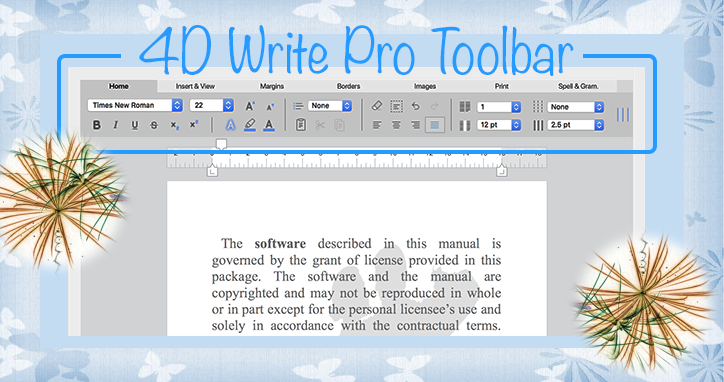
We couldn't be more thrilled to announce in 4D v17 R2 the birth of a new element in the 4D Write Pro Family: a new toolbar for 4D Write Pro! Thanks t...


Flash news: 4D Write Pro anchored images now support 4D Expressions! Since 4D v16 R6, it's been possible to add anchored images to 4D Write Pro docum...
Got a question, suggestion or just want to get in touch with the 4D bloggers? Drop us a line!
* Your privacy is very important to us. Please click here to view our Policy