
Dark Mode support on macOS has arrived.
Dark Mode is awesome and creates an exciting user experience. That's why, starting with 4D v19, 4D now supports Dark Mode, which activates automatical...

April 26, 2021
1 min read

Dark Mode is awesome and creates an exciting user experience. That's why, starting with 4D v19, 4D now supports Dark Mode, which activates automatical...

The 4D Write Pro toolbar and sidebar continue to grow with more functionalities to help you create documents even faster and easier. With 4D v18 R6, ...

4D v18 R6 comes with new features in the code editor to make things easier for you when writing code. The same goes for the debugger. We know debuggi...

With 4D 18 R4, we announced the availability of the suggested functions for classes (4D and data model). With 4D v18 R6, we've got more great news to ...
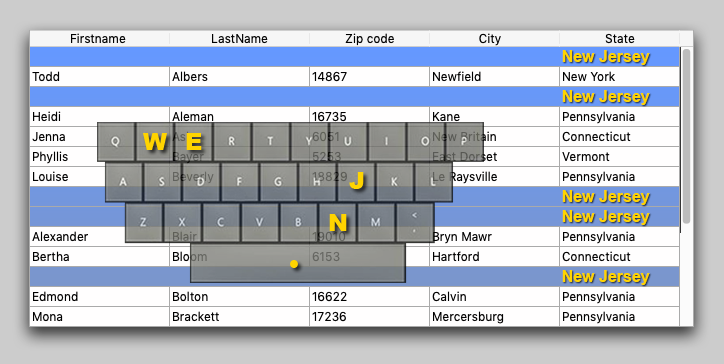
If you're interested in the user interface, you may have already used the On before keystroke and On after keystroke events. You'll certainly be happy...


In 4D v18 R5, you can preview the final CSS rendering in the form editor WITHOUT running your dialog. Yes, you heard that right. Standardizing and rev...

Have you ever wondered about 4D's autocompletion feature or asked yourself why 4D suggests all functions used in the code? Since an object is a very g...

Projects were introduced in 4D v17 R5. An architecture representing a giant evolution for 4D applications, projects opened the 4D world to source cont...


Want to adapt your application's interface to your end user's system preferences? Want to make sure your application's interface isn't obscured by the...


With the introduction of project databases, we've also modified the interface of some 4D dialogs. In this blog post, we'll present some of the changes...
Got a question, suggestion or just want to get in touch with the 4D bloggers? Drop us a line!
* Your privacy is very important to us. Please click here to view our Policy