
4D Write Pro. New Section Options Available in the Interface
As you know, 4D Write Pro manages two types of sections, continuous or with page breaks. Whether you prefer distinct right-sided pages from the left ...

May 7, 2024
1 min read


As you know, 4D Write Pro manages two types of sections, continuous or with page breaks. Whether you prefer distinct right-sided pages from the left ...

The WP SET ATTRIBUTES command in 4D Write Pro is undoubtedly one of the most frequently used commands, as its vast possibilities apply to all sorts of...

Since the introduction of tables in 4D Write Pro, many new features have been put in place. Including Headers, footers, sort breaks and, of course, th...

So far 4D Write Pro documents, pictures can be either in line (just like a big character), behind or in front of the text. Text boxes (appeared in 4D ...

The manipulation of dates and times often requires specific formatting for various representations based on 4D's internal resources or operating syste...
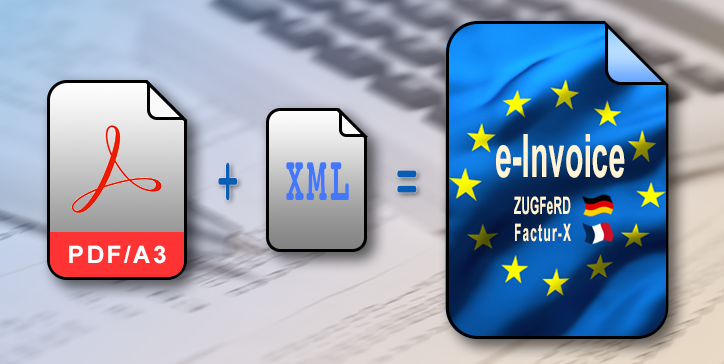
4D v20 R4 introduces an exciting feature in 4D Write Pro—now, it empowers you to generate electronic invoices. But what exactly do we mean by e-invoic...
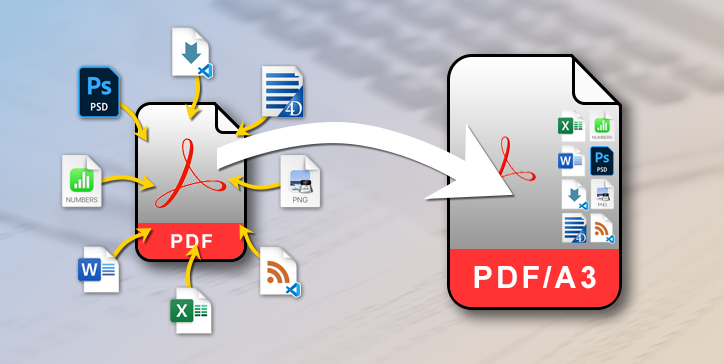
As you already know, since 4D v20 R3, 4D Write Pro can export in PDF/A2 and PDF/A3 (BLOG) formats. Apart from the signature, the main difference betwe...

As a 4D developer, you've probably already created and used formulas. They can be created via two commands, Formula and Formula from string. The latte...

In 4D Write Pro documents, formulas are crucial and contribute significantly to their functionality. Previously, these formulas could be represented a...

The PDF format is now a classic and has been available for exporting 4D Write Pro documents for several versions. The PDF/A format is available option...
Got a question, suggestion or just want to get in touch with the 4D bloggers? Drop us a line!
* Your privacy is very important to us. Please click here to view our Policy