
Type ahead made easy
If you're interested in the user interface, you may have already used the On before keystroke and On after keystroke events. You'll certainly be happy...

October 27, 2020
1 min read
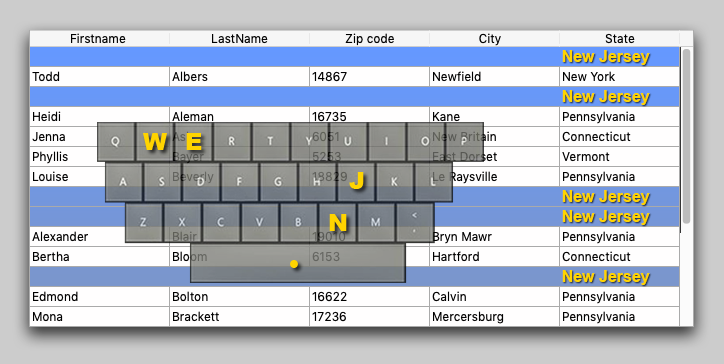
If you're interested in the user interface, you may have already used the On before keystroke and On after keystroke events. You'll certainly be happy...

Interested in building list boxes that can automatically adapt the height of each row to its content so that the full text or picture can be displayed...


List boxes are powerful form objects. They're easily created and manipulated, and most importantly, they can handle any kind of data. Additionally, th...

You've probably used the LISTBOX SELECT ROW command many times, looping through each entity in order to select the rows for an entity selection. 4D v...


To display a list of records, an entity selection list box is the most suitable when using ORDA technology. 4D v18 R2 simplifies your life with a new ...

by guest author Chris Belanger, a 4D developer from Canada List box typeahead (a method for progressively searching) is not a native feature of list ...


Our main objective is to make developers' lives easier, day after day, and list boxes are one 4D's most used and powerful form objects that serve this...

Using ORDA to access large tables (especially those with relations) in Client/Server mode has been greatly enhanced. With 4D v17 R5, you’ll see 2-3xs ...

Starting with 4D v17, the content of a multilevel collection can easily be displayed in different list boxes. Meaning that you can bind several list b...

4D v17 introduces a new concept: ORDA. If you're not familiar with ORDA yet, we've created a series of blog posts to explain how to use and take advan...
Got a question, suggestion or just want to get in touch with the 4D bloggers? Drop us a line!
* Your privacy is very important to us. Please click here to view our Policy