4D Blog

Home Product Get coordinates in a 4D Write Pro document

Get coordinates in a 4D Write Pro document

February 11, 2019

Product

By now, you should be familiar with the WP Get position command. At the very least you’ve read about it in this blog post. Introduced with v17, it helps you get information about the location of elements within your 4D Write Pro documents.

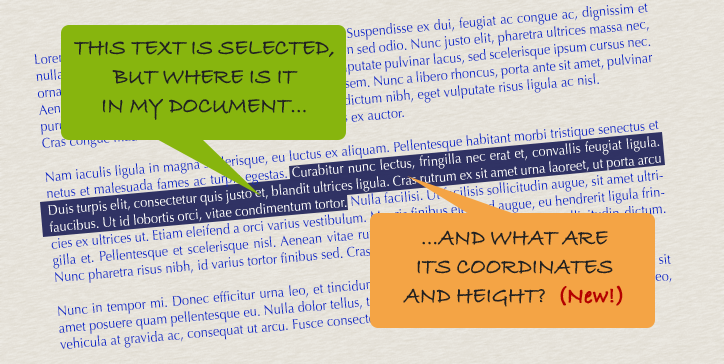
4D v17 R4 spices things up … now, it also returns coordinates!

new attributes

The WP Get position command returns two new attributes: bounds and rangeHeight.

The bounds attribute is an object which describes the rectangle surrounding a range, according to its type. The type of the range passed can be “default type” (characters), “paragraph type”, “table type”, or “picture type”,  as shown below:
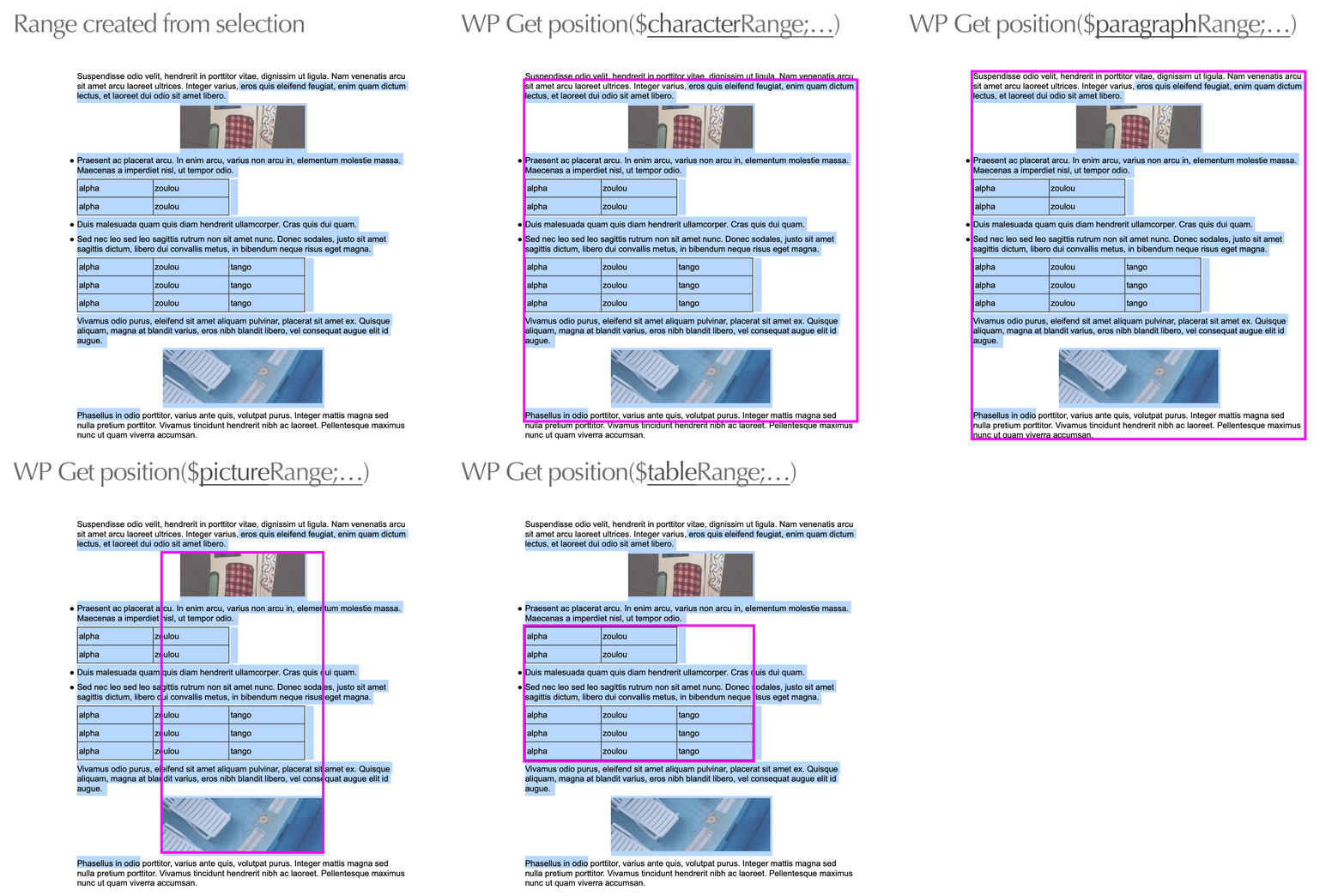
The bounds attribute has attributes of its own: left, top, right, and bottom. They’re numerics and expressed in the current layout unit (mm, cm, in, pt, or px).

Example

This feature allows you to easily set up complex page designs. For example, when using templates you may need to compare the size of a block to insert according to the available space at the end of the current page. If the space isn’t big enough (i.e. “5cm”), you might decide to insert a page break first. Simple and easy. Here’s how to proceed:

$range:=WP Get selection(WParea)
WP SET ATTRIBUTES(WParea;wk layout unit;wk unit cm) // change the unit to "cm"
$position:=WP Get position($range;wk 4D Write Pro layout) // call the WP Get position function
$heightInCm:=$position.rangeHeight // read the height in "cm"
If ($heightInCm<5)
 // insert a break…
End if

here is the detailed content of the returned object

{
"section": 1,
"page": 1,
"column": 1,
"line": 11,
"position": 49,
"bounds":    // New!
 {
  "left": 1.52,
  "top": 10.65,
  "right": 18.66,
  "bottom": 12.56,
 }
  rangeHeight: 1.9  // New!
}

See the feature in action with this demo database. 

4D Write Pro: Get an element coordinates

Discuss

Tags 4D Write Pro, v17 R4, v18, Word processor

Latest related posts

  • February 3, 2026

    4D Write Pro – Adding a margin automatically when bullets are set using standard actions

  • January 22, 2026

    Transform Static Documents into Actionable Knowledge with AIKit

  • January 22, 2026

    Deploy Fluent UI effortlessly in your 4D applications

Roland Lannuzel
Roland Lannuzel
• Product Owner & 4D Expert • After studying electronics, Roland went into industrial IT as a developer and consultant, building solutions for customers with a variety of databases and technologies. In the late 80’s he fell in love with 4D and has used it in writing business applications that include accounting, billing and email systems.Eventually joining the company in 1997, Roland’s valuable contributions include designing specifications, testing tools, demos as well as training and speaking to the 4D community at many conferences. He continues to actively shape the future of 4D by defining new features and database development tools.
  • Deutsch
  • Français
  • English
  • Português
  • Čeština
  • Español
  • Italiano
  • 日本語

Categories

Browse categories

  • AI
  • 4D View Pro
  • 4D Write Pro
  • 4D for Mobile
  • Email
  • Development Mode
  • 4D Language
  • ORDA
  • User Interface / GUI
  • Qodly Studio
  • Server
  • Maintenance
  • Deployment
  • 4D Tutorials
  • Generic
  • 4D Summit sessions and other online videos

Tags

4D AIKit 4D for Android 4D for iOS 4D NetKit 4D Qodly Pro 4D View Pro 4D Write Pro 20 R10 21 21 R2 Administration AI Artificial Intelligence Build application CI/CD Class Client/Server Code editor Collections Formula Listbox Logs Mail Microsoft 365 Network Objects OpenAI ORDA PDF Pictures Preemptive Programming REST Scalability Security Session Source control Speed Spreadsheet Tutorial UI User Experience vscode Web Word processor

Tags

4D AIKit 4D for Android 4D for iOS 4D NetKit 4D Qodly Pro 4D View Pro 4D Write Pro 20 R10 21 21 R2 Administration AI Artificial Intelligence Build application CI/CD Class Client/Server Code editor Collections Formula Listbox Logs Mail Microsoft 365 Network Objects OpenAI ORDA PDF Pictures Preemptive Programming REST Scalability Security Session Source control Speed Spreadsheet Tutorial UI User Experience vscode Web Word processor
Subscribe to 4D Newsletter

© 2026 4D SAS - All rights reserved
Terms & Conditions | Legal Notices | Data Policy | Cookie Policy | Contact us | Write for us


Subscribe to 4D Newsletter

* Your privacy is very important to us. Please click here to view our Policy

Contact us

Got a question, suggestion or just want to get in touch with the 4D bloggers? Drop us a line!

* Your privacy is very important to us. Please click here to view our Policy