
4D Write Pro: New standard actions for tables, rows, and cells
4D v18 R3 brings new standard actions to 4D Write Pro. They target tables and their elements (i.e., rows and cells). These actions let you to define a...

May 12, 2020
1 min read
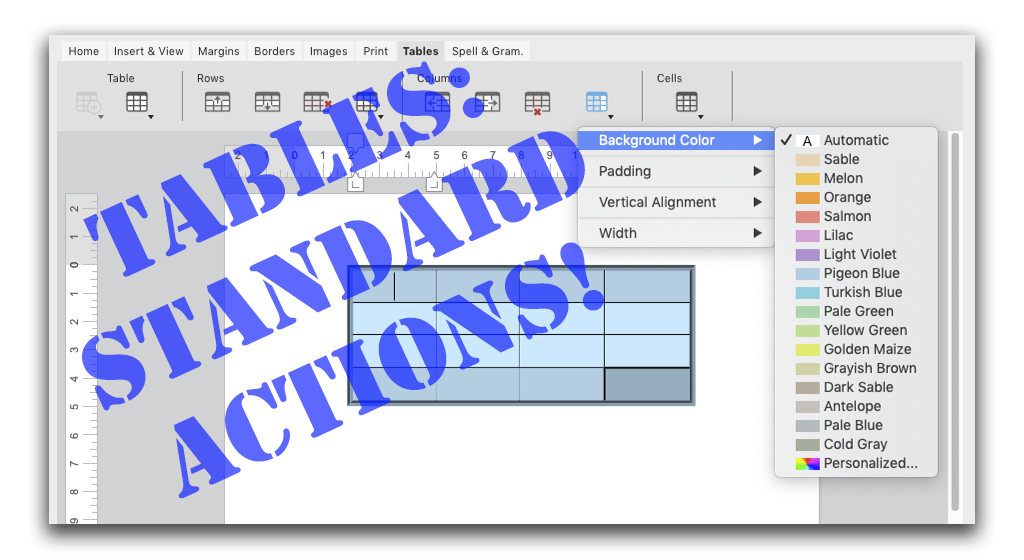
4D v18 R3 brings new standard actions to 4D Write Pro. They target tables and their elements (i.e., rows and cells). These actions let you to define a...

You've probably used the LISTBOX SELECT ROW command many times, looping through each entity in order to select the rows for an entity selection. 4D v...


In a previous blog post, we introduced a very important concept in object-oriented programming: Classes. Now we'll go through another core concept: In...


When it comes to ORDA, 4D v18 R3 is full of good news! New member methods are at your disposal to further enhance your coding experience. For starter...

Many of you have have been asking to be able to define an object type ever since the Object type became available. Thanks to object notation, many of ...

To display a list of records, an entity selection list box is the most suitable when using ORDA technology. 4D v18 R2 simplifies your life with a new ...

Some developers use multiple IDEs and want to have the same shortcut for debugging actions. As of 4D v18 R2, it's possible to customize the debug shor...


By now, you've surely discovered the new ability to identify your users thanks to the SET USER ALIAS command. In 4D v18 R2, the command's behavior has...


4D Write Pro brings good news with 4D v18 R2: deleting inline or anchored pictures can now be done in a snap! Say hello to the new command, WP DELETE ...

If you have a large table of data, it can be useful to keep an area of a worksheet visible while you scroll to another area. That's why 4D v18 R2 incl...
Got a question, suggestion or just want to get in touch with the 4D bloggers? Drop us a line!
* Your privacy is very important to us. Please click here to view our Policy