
Create your own contextual menu for 4D Write Pro
4D gives you new possibilities to customize your 4D Write Pro user interface to make it perfectly fit your business application. Instead of using the ...

May 10, 2017
1 min read
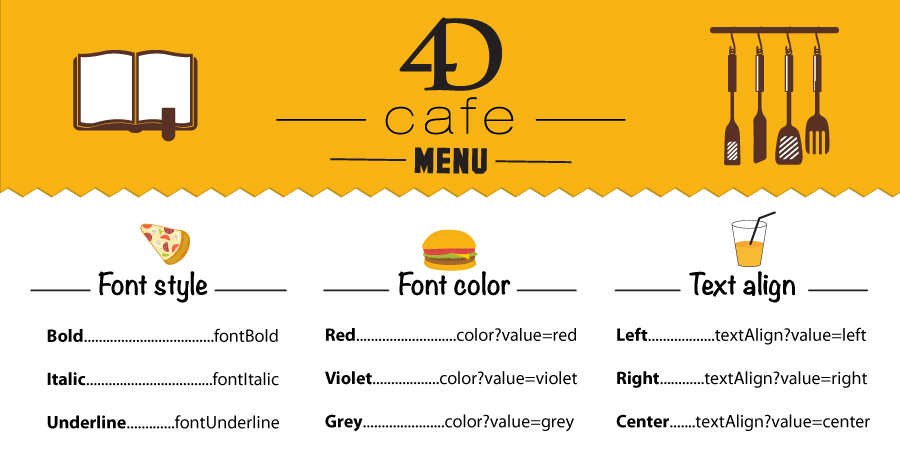
4D gives you new possibilities to customize your 4D Write Pro user interface to make it perfectly fit your business application. Instead of using the ...
You want to quickly create a menu bar to manage your 4D Write Pro areas? You want to create your own contextual menu for your end-users ? You would li...

With 4D v16 R2 you can display a graphical horizontal ruler at the top of the 4D Write Pro area ! Thanks to this horizontal ruler, the text can be eas...


One common usage of 4D Write was to create documents automatically, such as invoices, reports, orders, based on templates created or designed by the e...

Bookmarks can now be created inside 4D Write Pro documents. But what are bookmarks exactly? A bookmark is a named reference matching a text selection ...

From 4D v16, you can define at design phase the way a 4D Write Pro document will be displayed in a 4D Write Pro area. Without writing a single line of...


With 4D v16, 4D Write Pro is now providing a higher level of protection regarding the evaluation of 4D expressions in documents. Developers can now f...

With 4D v16, you can improve your database scalability using the new 4D Write Pro commands in preemptive processes. If you are doing routines for cre...

4D Write Pro is moving forward with 4D v16! You can now insert headers and footers in your 4D Write Pro documents but also retrieve any existing head...

You want to insert your company logo in the signature of all your 4D Write Pro documents when they are being created? Or you want to add a product ima...
Got a question, suggestion or just want to get in touch with the 4D bloggers? Drop us a line!
* Your privacy is very important to us. Please click here to view our Policy