
Seamless Dependencies Management is coming to VS Code!
When we introduced the 4D Project Dependencies, our goal was simple: to take the headache out of managing components. Whether your components are stor...

May 12, 2026
1 min read
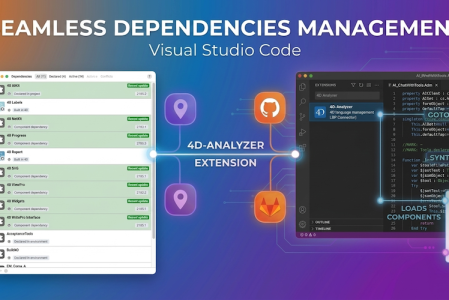
When we introduced the 4D Project Dependencies, our goal was simple: to take the headache out of managing components. Whether your components are stor...

When you’re coding in 4D or VS Code, clear and precise feedback from the editor makes all the difference. It helps you understand what’s happening in ...


For Visual Studio Code users working with 4D, a new extension called 4D-Debugger that works with 4D 20 R8 is now available. The new 4D-Debugger exten...

GitHub offers powerful tools for developers. One of them is Codepaces, which lets you develop code stored in a GitHub repo online from anywhere using ...
We're pleased to announce a useful new simplification in the 4D-Analyzer extension for Visual Studio Code! This feature is aimed at streamlining the ...

4D 20 R5 brings a new capability to the Visual Studio Code editor through the 4D-Analyzer extension: Say hello to Workspace Syntax Checking, designed ...
4D v20 R3 comes with a new Visual Studio Code editor feature thanks to the 4D-Analyzer extension — the "Show 4D Documentation" feature! ...

A new feature of the VS Code extension arrives with 4D V20 R2: code formatting! In this blog post, we will delve into the details of this new functio...

The "Find and Replace" feature in the code editor has existed for many years. Developers can easily and efficiently search and replace code, especiall...


A new release, a new VS Code extension feature. 4D v19 R8 brings a new capability to the Visual Studio Code editor through the 4D-Analyzer extensio...
Got a question, suggestion or just want to get in touch with the 4D bloggers? Drop us a line!
* Your privacy is very important to us. Please click here to view our Policy