
Direct Access to 4D Corner from Your Project
Finding the right component can make a big difference in a development project. Whether you need a specific feature, want to extend your application's...

October 19, 2026
1 min read
Finding the right component can make a big difference in a development project. Whether you need a specific feature, want to extend your application's...
Imagine finding a ready-to-use PDF generator, an SVG library, or a PPT generator, all built specifically for 4D, in seconds, and adding them to your p...
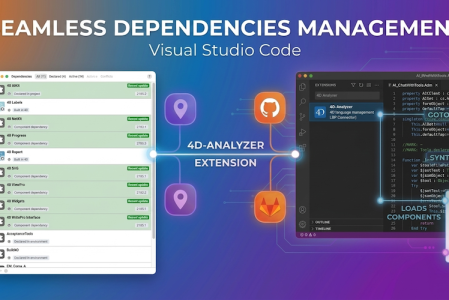
When we introduced the 4D Project Dependencies, our goal was simple: to take the headache out of managing components. Whether your components are stor...


Managing external components is a key part of modern development workflows. While GitHub integration already simplified dependency management in 4D, m...

When working on a project with multiple components, quickly identifying the one you need can save valuable time. The simplest and most effective way t...

As a 4D developer, you often want full control over what gets included in your projects. Starting with 4D 21, you can now decide which components prov...

Following the launch of the Follow 4D version rule, we’re excited to introduce a new level of automation and reliability in 4D 20 R10: fully recursive...


Great news! When adding a dependency from GitHub, you now have access to a brand-new rule: Follow 4D version. This powerful addition ensures your depe...

With the latest updates to the Project Dependency Manager in 4D 20 R8, your projects are always a step ahead. Dependencies are regularly checked for u...

We’re excited to introduce a major enhancement in the 4D Project Dependencies interface, available in 4D 20 R7, making managing both local and GitHub ...
Got a question, suggestion or just want to get in touch with the 4D bloggers? Drop us a line!
* Your privacy is very important to us. Please click here to view our Policy