
4D Corner: Easily browse 4D components, add them to your project and share your own

July 2, 2026
5 min read

Imagine finding a ready-to-use PDF generator, an SVG library, or a PPT generator, all built specifically for 4D, in seconds, and adding them to your project with a single click. No rebuilding from scratch, no reinventing the wheel.
That’s exactly what 4D Corner gives you. It’s the official catalog of 4D components: pre-built, community-contributed building blocks that you can browse, evaluate, and integrate into your 4D projects in just a few clicks. Whether you’re looking to speed up development, extend your app’s capabilities, or share your own work with the community, 4D Corner is where it all happens.
This guide walks you through how to find and use components from the catalog and, if you’re ready, how to contribute your own.
4D Corner is the official repository where developers can discover, browse, and integrate pre-built 4D components. It’s a curated catalog designed to centralize hundreds of community-contributed components, making it easy to find exactly what you need and seamlessly add it to your project with a single dependency link.

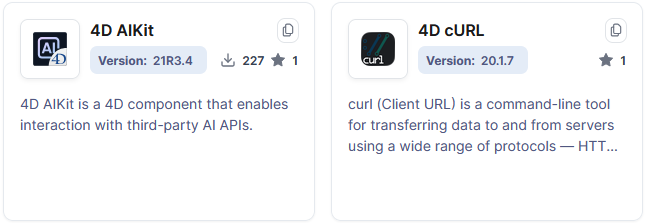
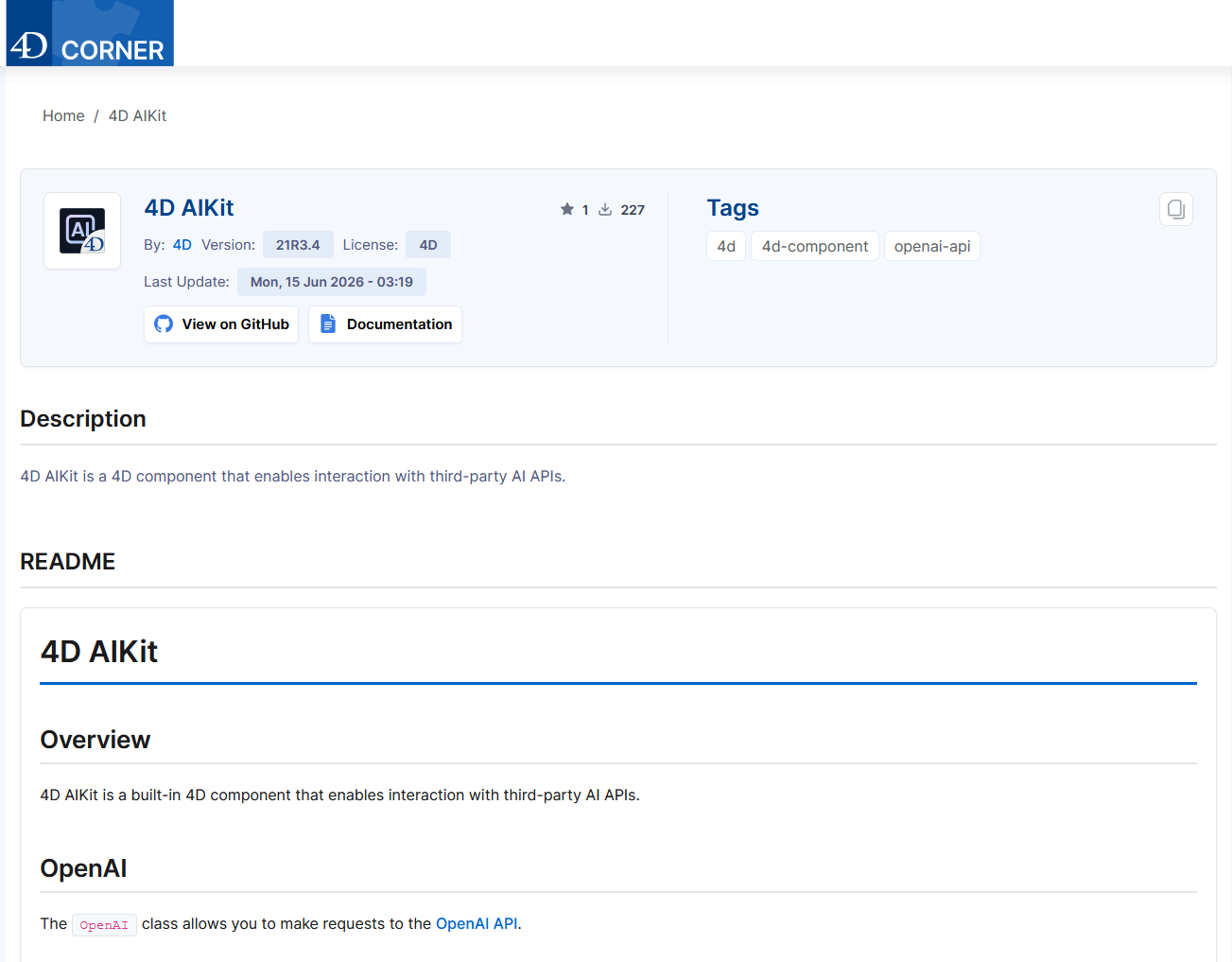
Once you’ve found a component you want to use:

When you add a component from 4D Corner to your project, you gain access to:
Before your component can appear on 4D Corner, make sure all of the following are in place:
To submit your component to 4D Corner, you must create a JSON manifest file. This file contains the metadata that 4D Corner uses to catalog and display your component. The manifest is a required part of your submission.
Required Fields:
| Field | Type | Description |
|---|---|---|
| title | string | The name of the component (must not be empty) |
| repository | string (URL) | The URL of the component’s GitHub repository |
Optional Fields:
| Field | Type | Description |
|---|---|---|
| path_logo | string (URL) | Direct URL to the logo file, useful if the logo is stored in a non-standard location |
Example JSON:
{
  "title": "4D QPDF",
  "repository": "https://github.com/4d/4D-QPDF",
  "path_logo": "https://raw.githubusercontent.com/4d/4D-QPDF/main/4D-QPDF/Resources/logo.svg"
}Once your component is properly prepared and your JSON manifest is complete, you can submit your component to the 4D_Corner_Component_List GitHub repository for review:
The Submission Process:
When your component is indexed, 4D Corner automatically extracts metadata from your GitHub repository:
| Field | Source | Notes |
|---|---|---|
| Title | Repository name | Displayed prominently in the catalog |
| Authors | Repository owner | Shows who maintains the component |
| Description | Repository description | Appears in search results and details page |
| License | /license.md file (root) | Informs users of usage rights |
| Logo | /resources/logo.svg or /resources/logo.png | Visual identifier in the catalog |
| Tags | Repository topics | Helps users filter and search |
| Minimum 4D Version | Latest release tag | Ensures compatibility |
| Version | Latest release tag | Shows the current version |
| Download URL | Release assets | Links to the component download |
| Last Update | Updated timestamp | Indicates active maintenance |
| Documentation | Repository homepage | Directs users to detailed guides |
| Repository Link | Repository URL | Allows users to view the source code |
| Status | Privacy setting | Public repositories only |
4D Corner is a win-win for the entire 4D ecosystem:
Whether you’re looking for components to speed up your development or ready to contribute your own, 4D Corner is the central hub making it all possible.
Ready to get started? Visit 4D Corner to browse the catalog, or check out the official 4D documentation to learn more about component development and publication.
Got a question, suggestion or just want to get in touch with the 4D bloggers? Drop us a line!
* Your privacy is very important to us. Please click here to view our Policy
Comments are not currently available for this post.