
Take Control of Standard 4D Components

October 14, 2025
2 min read

As a 4D developer, you often want full control over what gets included in your projects. Starting with 4D 21, you can now decide which components provided by 4D are part of your application.
Until now, all standard 4D components were installed by default, even if your project didn’t use them. With 4D 21, you can streamline your environment by only including the 4D components you actually need, such as:
4D-Widgets
4D-Progress
4D-SVG
4D-WritePro-Interface
4D-NetKit
4D-ViewPro
4D-AIKit
This modular approach makes your project more efficient.
All these components are now publicly available and downloadable from the GitHub release repository, ensuring that you can always install or update them as needed.
The Add Dependency window has been updated to simplify the process:
The GitHub tab now includes a combo box that lists all available standard 4D components.
By default, when you add a standard 4D component, its dependency rule is automatically set to Follow 4D version.

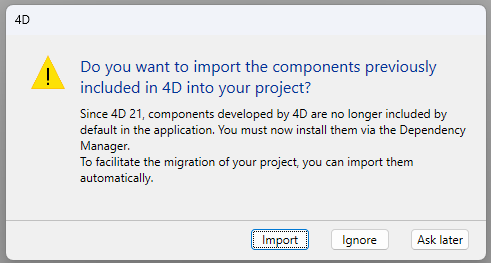
When you open a project created in a pre-21 versions of 4D, a message appears allowing you to choose whether to import all user components immediately, import them manually, or delay the import. This ensures a smooth transition with no missing features.
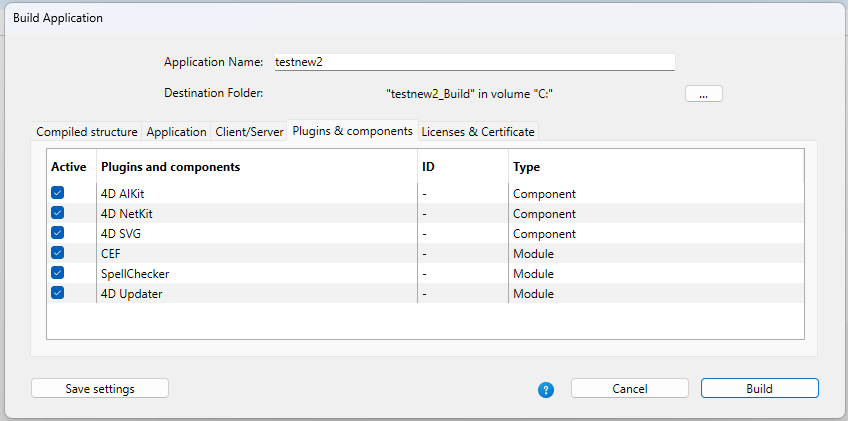
When building the application, component management is simplified because only the components imported into the project appear in the component list.
With this new level of flexibility in 4D 21, you gain full control over your project dependencies. You can decide exactly which standard 4D components to include and ensure your runtime environment only contains what’s necessary.
Got a question, suggestion or just want to get in touch with the 4D bloggers? Drop us a line!
* Your privacy is very important to us. Please click here to view our Policy
Comments are not currently available for this post.