
A powerful & feature-rich ribbon for 4D View Pro
In addition to the existing toolbar, we're proud to announce the addition of a very powerful ribbon-style toolbar to enhance the 4D View Pro user inte...

April 30, 2019
1 min read

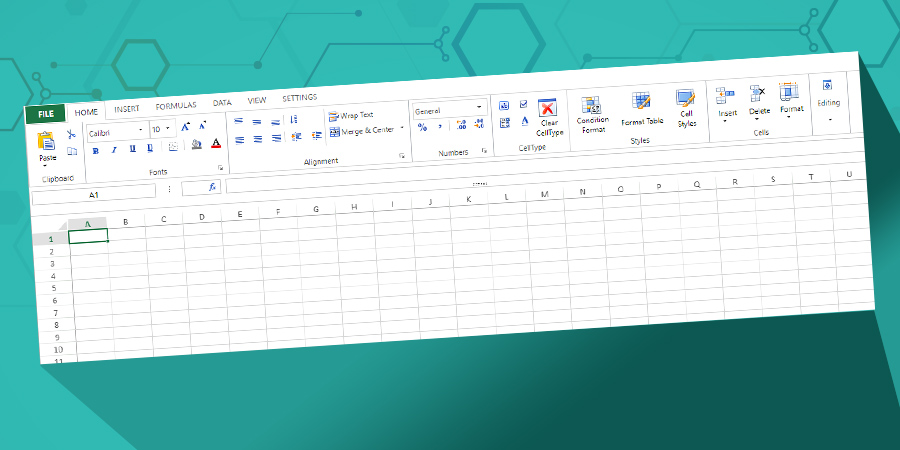
In addition to the existing toolbar, we're proud to announce the addition of a very powerful ribbon-style toolbar to enhance the 4D View Pro user inte...

As promised in a previous post, each R-release includes more advances related to email functionality, unlocking its hidden power. 4D v17 R5 provides ...

4D v17 R4 is on the way with a cool new 4D View Pro feature: named ranges and formulas. If you need to use formulas with references to cell(s) or cons...

Preemptive processes are very useful for performing extensive calculations in parallel, using all of the cores in your CPU, but sometimes you need to ...

The ability to interact with a document via programming is an important part of using 4D View Pro. Now you can fill your documents by programming. You...

4D v17 R4 brings new features to 4D View Pro and one of them is the creation of ranges with code. First, you need to define a range object to manipul...

Preemptive processes allow your applications to take full advantage of multi-core computers, resulting in faster responses to simultaneous requests. B...

We know the importance of sending emails and common a task it has become in today's applications. For example, imagine you're in a business and you wa...

Do you need to run complex calculations or exports on the client side? Use preemptive processes and start these actions without slowing down users and...

Do you need to open a Microsoft Excel document directly in your 4D View Pro area, or convert a 4D View Pro document to Microsoft Excel format to send ...
Got a question, suggestion or just want to get in touch with the 4D bloggers? Drop us a line!
* Your privacy is very important to us. Please click here to view our Policy