
Localize your Qodly Pages: A Practical Guide

October 22, 2025
7 min read

Localization of 4D applications has been supported for decades through the XLIFF architecture, designed primarily for desktop applications.
But browsers work differently.
That’s why 4D Qodly Pro introduces a new, built-in internationalization (i18n) approach—one tailored for web interfaces, giving you more flexibility when building multilingual Qodly Pages.
Let’s explore how this works in practice.
Localization is the process of adapting your app to support different languages, regions, and cultural nuances—not just translating text but customizing the design and functionality to meet local expectations.
With 4D Qodly Pro, localization is essential to gaining and retaining international users. It builds trust by respecting their language and culture, fostering stronger relationships and higher satisfaction. Localization also boosts adoption by making your product feel natural and intuitive, reducing friction for users everywhere.
Integrating localization early in development prepares your app for smooth expansion into new markets, enabling efficient scaling and maintaining a competitive edge worldwide. Even if you start locally, planning for localization now saves time and costs later, accelerating your path to global growth.
For our use case we’ll build a simple page that shows a text component and a select box where users can choose their language.
When implementing language choices, you often want a select box listing all supported locales in your application. Instead of creating a custom Qodly Source for this, 4D Qodly Pro gives you a built-in Qodly Source called UserLanguage that streamlines this task.
The UserLanguage Qodly Source automatically:
Populates the select box with available languages using UserLanguage.supported
Tracks the selected language via UserLanguage.selected
All you need to do is bind UserLanguage.supported to your Select Box. The result? End users can switch languages at runtime—no extra logic required.
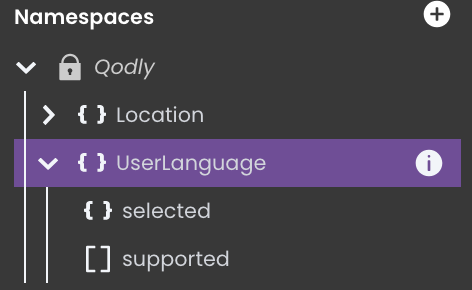
Before we can fully utilize this Qodly Source for language selection, we first need to define the locales your application will support.
A locale represents a specific language and regional setting that determines how your app displays content to users.
A new Localization section has been added to Qodly Studio’s Explorer to manage your app’s locales.
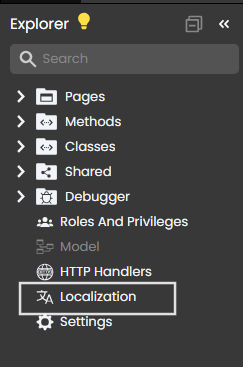
To add your first locale, simply click the Add New Locale button in the localization section.
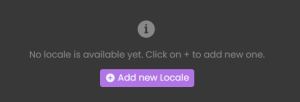
Once you click it, a dropdown menu will appear, allowing you to select the locale you want to add, for our use case we will select English,French,Arabic and Spanish.
4D Qodly Pro offers a locale switch control in the header panel. This lets you preview and directly translate your Qodly Pages in edit mode.
Once you select a locale:
You can edit text, images, and even layout just for that language.
Any visual changes (like font size, alignment, or container size) apply only to the active locale.
You can swap images or assets based on the target region.
This means localization in Qodly isn’t just about strings—it’s full UI adaptation.
✅ Helpful for languages like Arabic or Hebrew that require right-to-left layout
✅ Ideal for languages where translations are longer or require different formatting
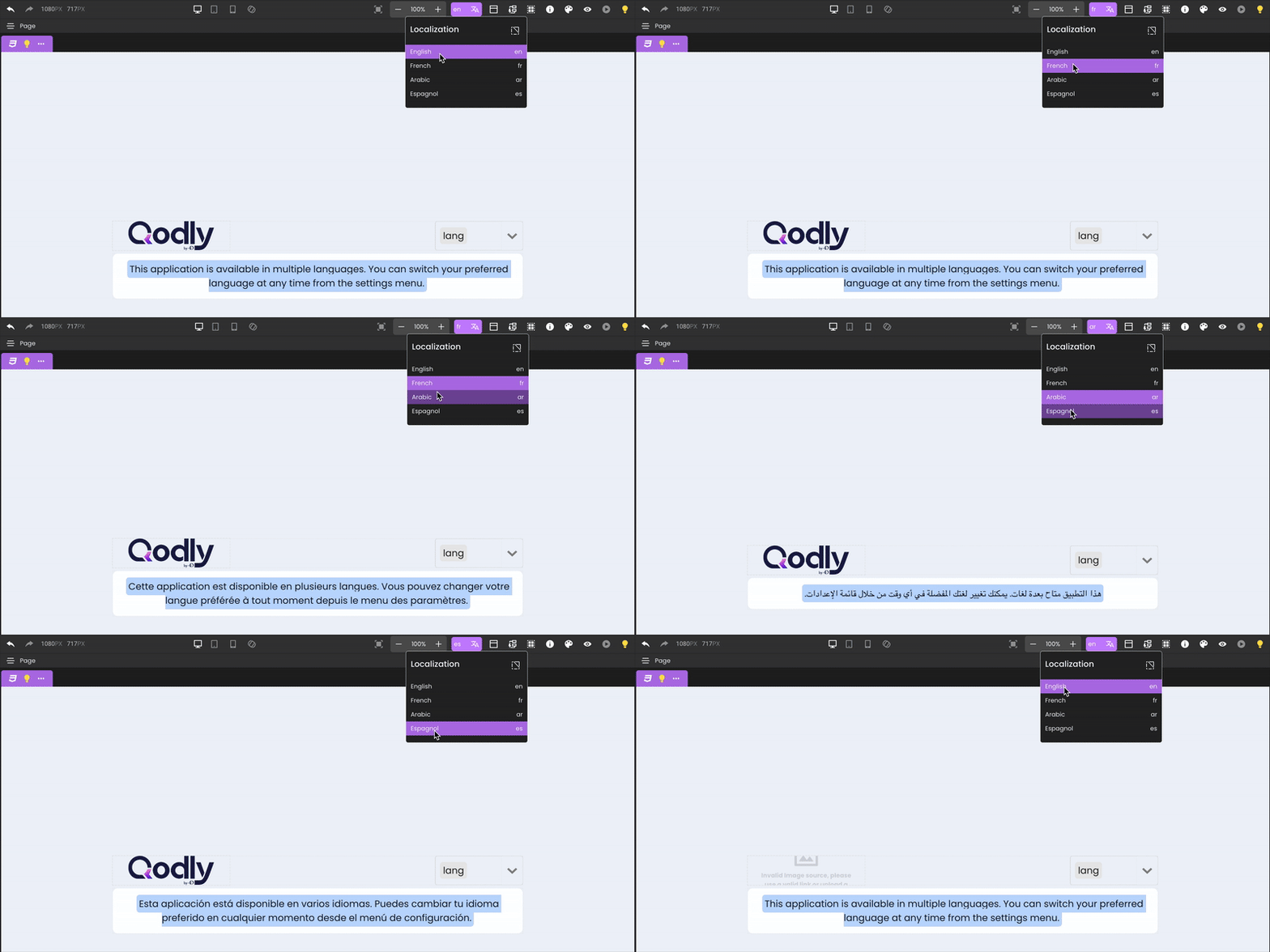
💡 Localization also works seamlessly with States — meaning that any localized change applies together with the state variations defined in your page.
If a translated sentence appears across multiple pages or components, you can store it as a translation key—a reusable identifier that holds the same text across all locales.
A translation key is a unique identifier used to manage multilingual content in your application. Instead of entering translated text manually in every component, you bind a key to the component. Each key stores a version of the text for all supported languages, keeping your application clean, consistent, and easy to maintain. When you update the text for a key, it’s automatically reflected wherever that key is used.
In our use case, we’ll use the translation key “key1“, bound to our text component.
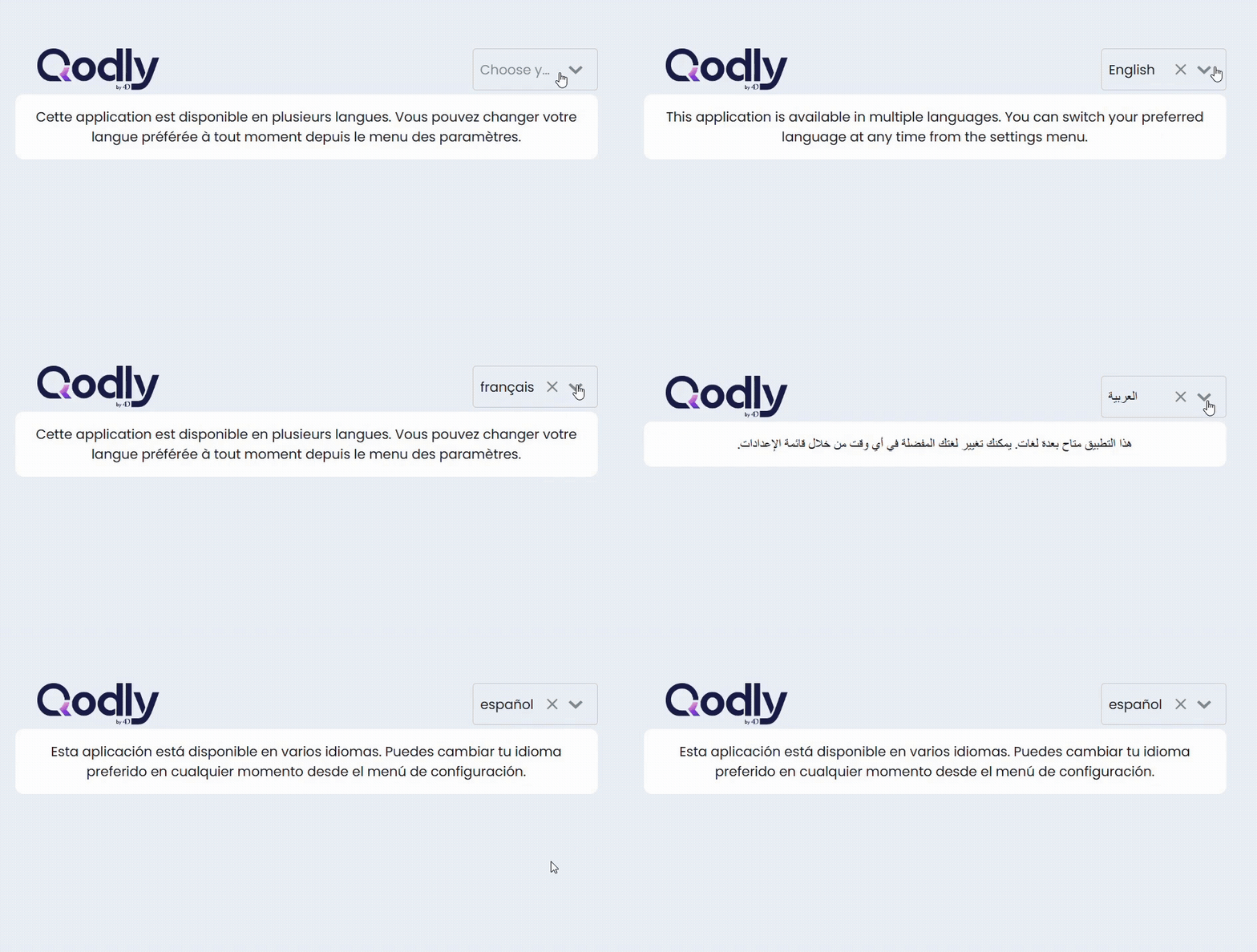
Here’s how it looks in the four supported languages:
English: This application is available in multiple languages. You can switch your preferred language at any time from the settings menu.
French: Cette application est disponible en plusieurs langues. Vous pouvez changer votre langue préférée à tout moment depuis le menu des paramètres.
Arabic: هذا التطبيق متاح بعدة لغات. يمكنك تغيير لغتك المفضلة في أي وقت من خلال قائمة الإعدادات.
Spanish: Esta aplicación está disponible en varios idiomas. Puedes cambiar tu idioma preferido en cualquier momento desde el menú de configuración.
Wherever “key1” is used in the application, Qodly will automatically display the correct version based on the selected locale. It’s efficient, reliable, and ideal for scaling your app across multiple languages.
You can create and bind your first translation key by double-clicking the label of a text component, as long as no locale is currently selected. For other components, you can do the same through the Properties panel.
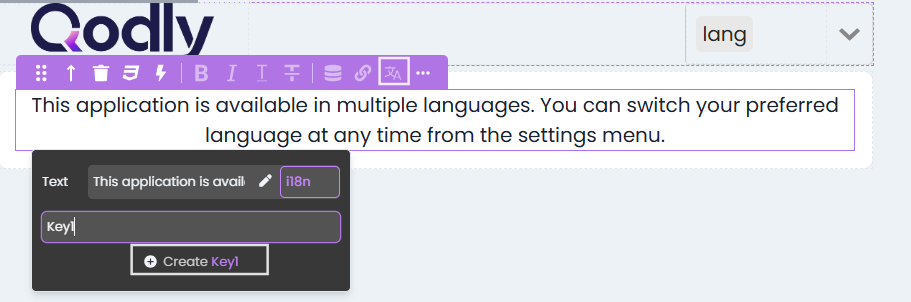
Alternatively, you can manage your keys through the Localization section, where all keys and their translations are displayed in one place for easy viewing and editing.

Both methods give you full control and help keep your localization organized as your app grows.
💡 Localization goes beyond translating text. For languages like Arabic,Kurdish… you also need to adjust the layout—such as switching text direction from left-to-right to right-to-left—to make the app feel natural and user-friendly.
You can download all your translation keys and values in JSON or CSV format.
This lets you:
Translate content externally (even using AI or a translation service)
Share with a translation team
Re-upload it back into Qodly in one click
This is especially useful for large projects with dozens of locales.
For server-side personalization (like error messages or localized content from the database), you can store the user’s preferred language in the Session object.
This helps maintain a consistent experience across both client and server—even for data that doesn’t live in the Qodly Page itself.
When you preview the app, you’ll see how the text instantly updates as you switch between languages using the select box. It’s a smooth experience that reflects the locale selected by the user in real time.
But what happens if the user doesn’t pick a language manually?
That’s where 4D Qodly Pro steps in with smart handling behind the scenes. It follows a layered strategy to make sure your app always displays content in the most relevant language:
So whether users actively choose a language or not, your app always presents itself in a way that feels natural, familiar, and ready to use—right out of the box.
Global users aren’t an afterthought—they’re your next opportunity. By integrating localization early, you’re not just translating an app—you’re designing a product that feels native everywhere it goes.
In a world where first impressions matter, speaking your user’s language isn’t a luxury—it’s the new standard. And with 4D Qodly Pro, you’re equipped to meet that standard with clarity, efficiency, and confidence.
The best time to localize? Before your users even ask for it.
Got a question, suggestion or just want to get in touch with the 4D bloggers? Drop us a line!
* Your privacy is very important to us. Please click here to view our Policy
Comments are not currently available for this post.