
Printing Modern Interfaces with Clean, Consistent Output

May 7, 2026
3 min read
In most business applications, printing is usually handled through generated documents using 4D Write Pro. This remains the recommended solution for producing structured documents such as invoices, reports, contracts, or formatted exports.
However, there are also many situations where users simply want to print what they currently see on screen: a detail form, a dashboard, a configuration panel, or a data entry interface.
With 4D 21 R3, we’re introducing a major improvement specifically for this kind of screen printing. Getting clean, readable, and consistent print output from modern interfaces has always been a challenge. Now, your forms automatically benefit from a paper-optimized rendering that remains faithful to the original design intent and delivers similar results on both macOS and Windows.
When designing interfaces with styles like Liquid Glass or Fluent UI, you take advantage of rich visual effects such as transparency, depth, and shadows. These elements look great on screen, but become unsuitable or even unreadable when printed.
To address this challenge, we’ve introduced a new feature: a dedicated print rendering. Instead of printing the screen rendering as-is, the system uses a specific rendering designed for print.
In practice, each widget has two rendering modes:
These two renderings are based on the same structure, but optimized for their respective contexts.
The print rendering follows two main principles:
Example:
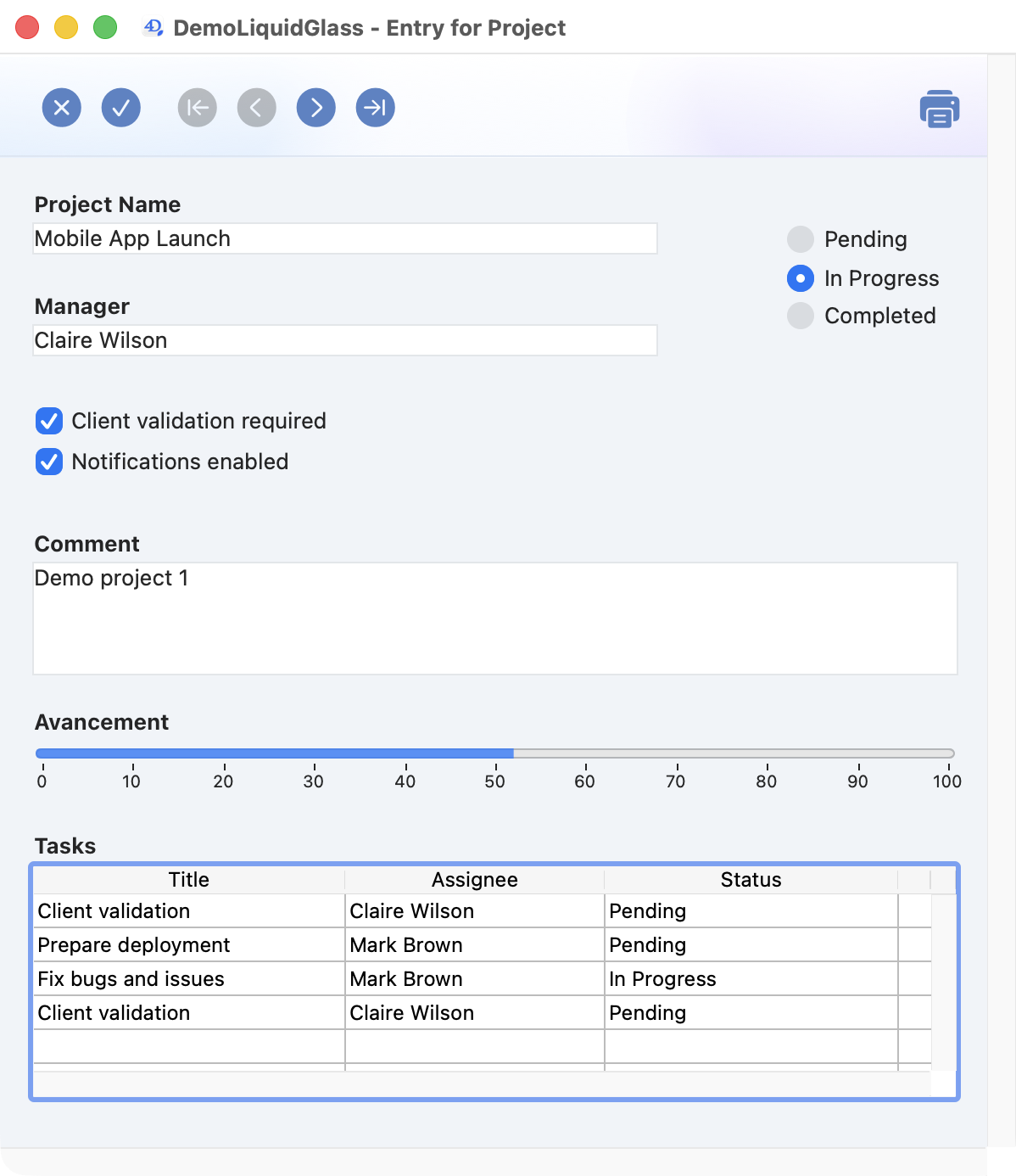
In a form displaying project details, a button allows printing of the form’s detail section:
Screen rendering
Print rendering
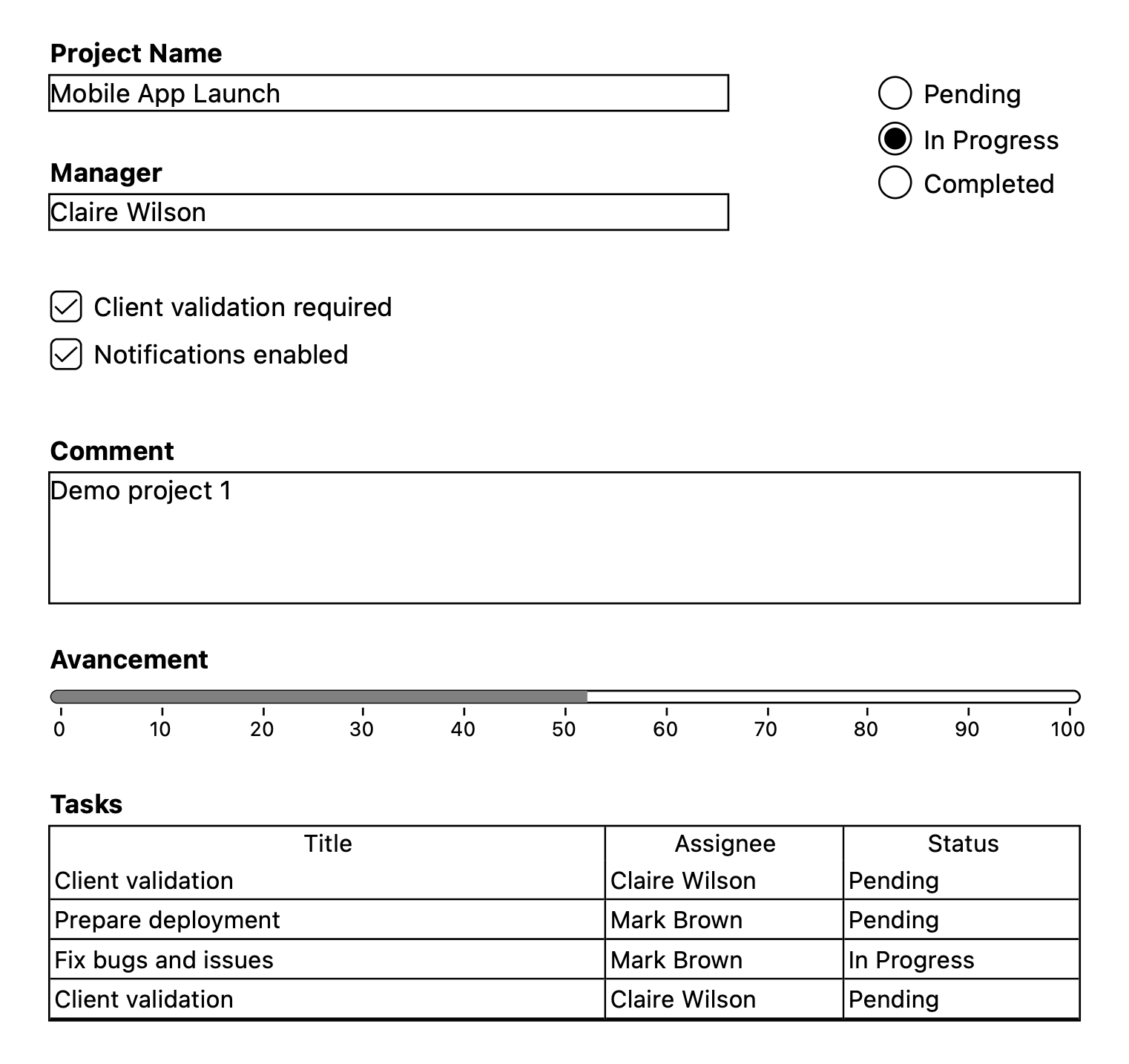
This approach delivers immediate advantages:
This change is completely transparent for your existing applications.
No changes are needed in 4D’s print system. Only the visual rendering of widgets is adapted to ensure a clean, readable result on paper.
This new system is now automatically applied for modern styles:
For classic styles (Classic Mac and Classic Windows), a compatibility setting is available: “Use legacy print rendering”.
It lets you either keep the current behavior or enable this new rendering to standardize print output.
Printing should no longer be a constraint in your interface design. With this new rendering approach, you can freely design rich, modern interfaces with the guarantee that they will use an appropriate rendering for print.
It’s a pragmatic solution: rather than making compromises at design time, the system uses the right rendering for each context: screen or paper.
In the end, you save time, simplify your development, and deliver a better experience… even on paper.
Got a question, suggestion or just want to get in touch with the 4D bloggers? Drop us a line!
* Your privacy is very important to us. Please click here to view our Policy
Comments are not currently available for this post.