
Why Your Search Stack Feels Broken — and How Vector Search Fixes It

July 31, 2025
7 min read

You ask a question. Your system gives you keyword matches — close, but not the answer. The real insight? It’s buried in a doc, phrased differently, or hiding in a format your search can’t understand.
Now imagine search that gets what you mean — even if you don’t say it perfectly. That surfaces meaning, not just matching words.
That’s the shift we’re exploring in this blog post: what’s failing today, what’s replacing it, and why vector search is becoming the new default for teams that need clarity at scale.
Keyword search is fast. It’s familiar. And it’s built into almost everything.
But here’s the catch: it doesn’t understand language. It just matches it.
If a user types “reset password”, it looks for content with those words. If the page says “trouble logging in”, it won’t show up.
That worked when search systems were small, or content was tightly curated. But now?
Teams use different words to describe the same thing.
Customers ask questions in natural language, not optimized phrases.
Knowledge lives in PDFs, screenshots, product specs, and chat logs — not just help docs.
Result? Keyword search misses the mark. It hides your best content behind syntax. Users feel like your system doesn’t know them — and they leave.
Before we talk about vector search, let’s zoom out: what’s a vector?
A vector is just a way to describe something — an object, an idea, a document — using numbers.
Think of how you’d mark a location on a map: latitude and longitude. That’s a 2D vector.
In vector search, we’re doing something similar — but instead of mapping locations, we’re mapping meaning. The system looks at a document and turns it into a list of values that describe its content: what it’s about, what tone it uses, how it connects to other ideas. All that becomes a vector — a sort of “signature”.
Now that we know what a vector is — a numerical fingerprint of meaning — the real shift happens when we apply it to search.
Vector search doesn’t look for exact words. It compares meaning.
Instead of matching “overnight bag” to pages that say overnight or bag, it translates your query into a vector, then finds content with a similar signature — even if the phrasing is totally different.
That’s how you get results that match your intent, not just your syntax.
It works across formats — text, images, audio — and makes search feel intuitive, like the system actually understands you. Because it sort of does.

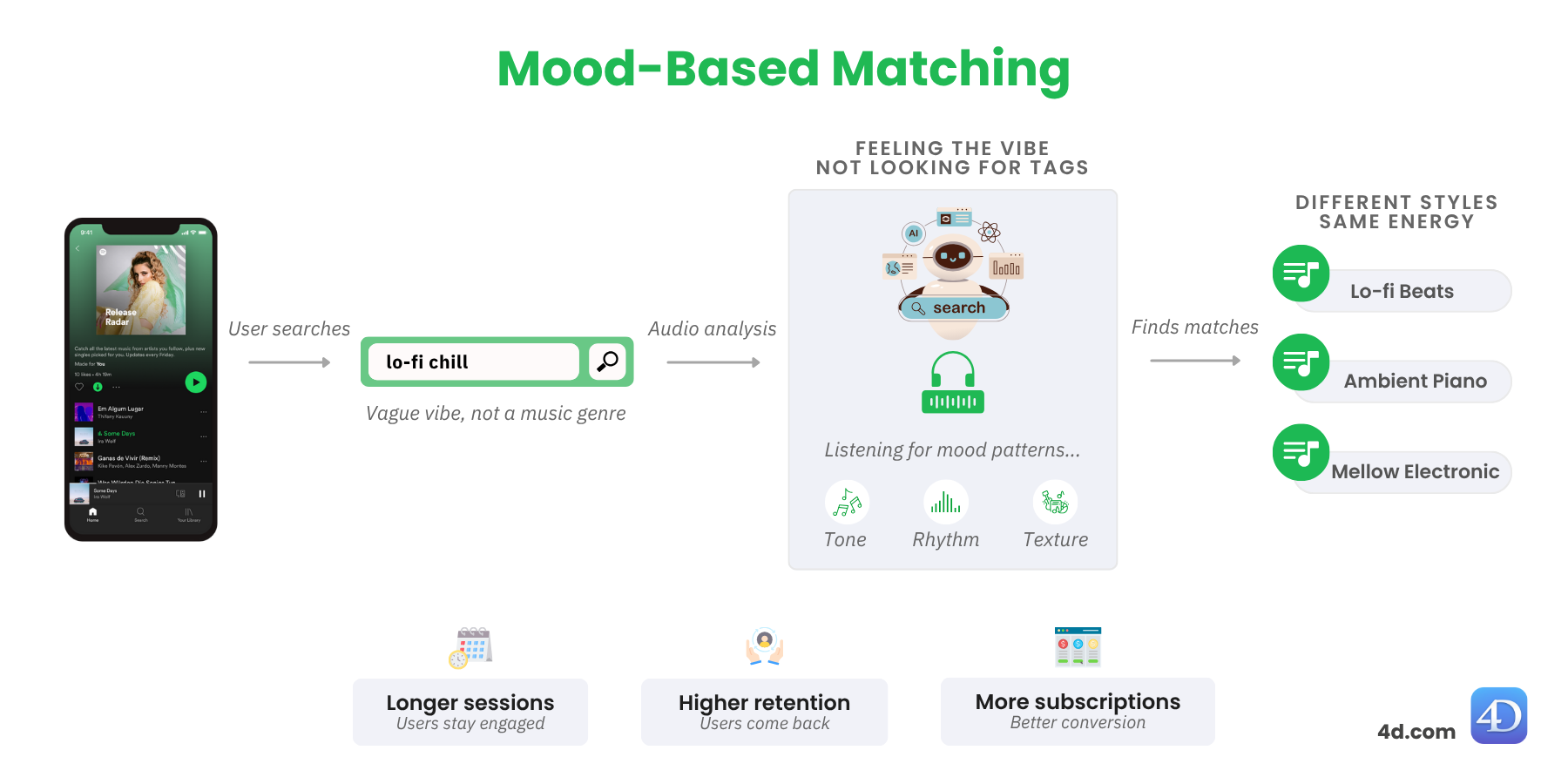
You open your music application, a modern streaming platform that lets you build playlists based on vibe. You type in “lo-fi chill” and hit play.
You didn’t search by genre — you searched by vibe. Without needing to ask, the system cues up ambient piano, mellow electronica, or even acoustic chill — different styles, same mood.
You stay longer, skip less. You feel like it just gets you.
Behind the scenes, vector search is analyzing tone, rhythm, and texture — not tags — to connect you with music that fits your moment.
That means higher session length, better discovery, and more time spent on‑platform — which drives subscriptions, retention, and user lifetime value.
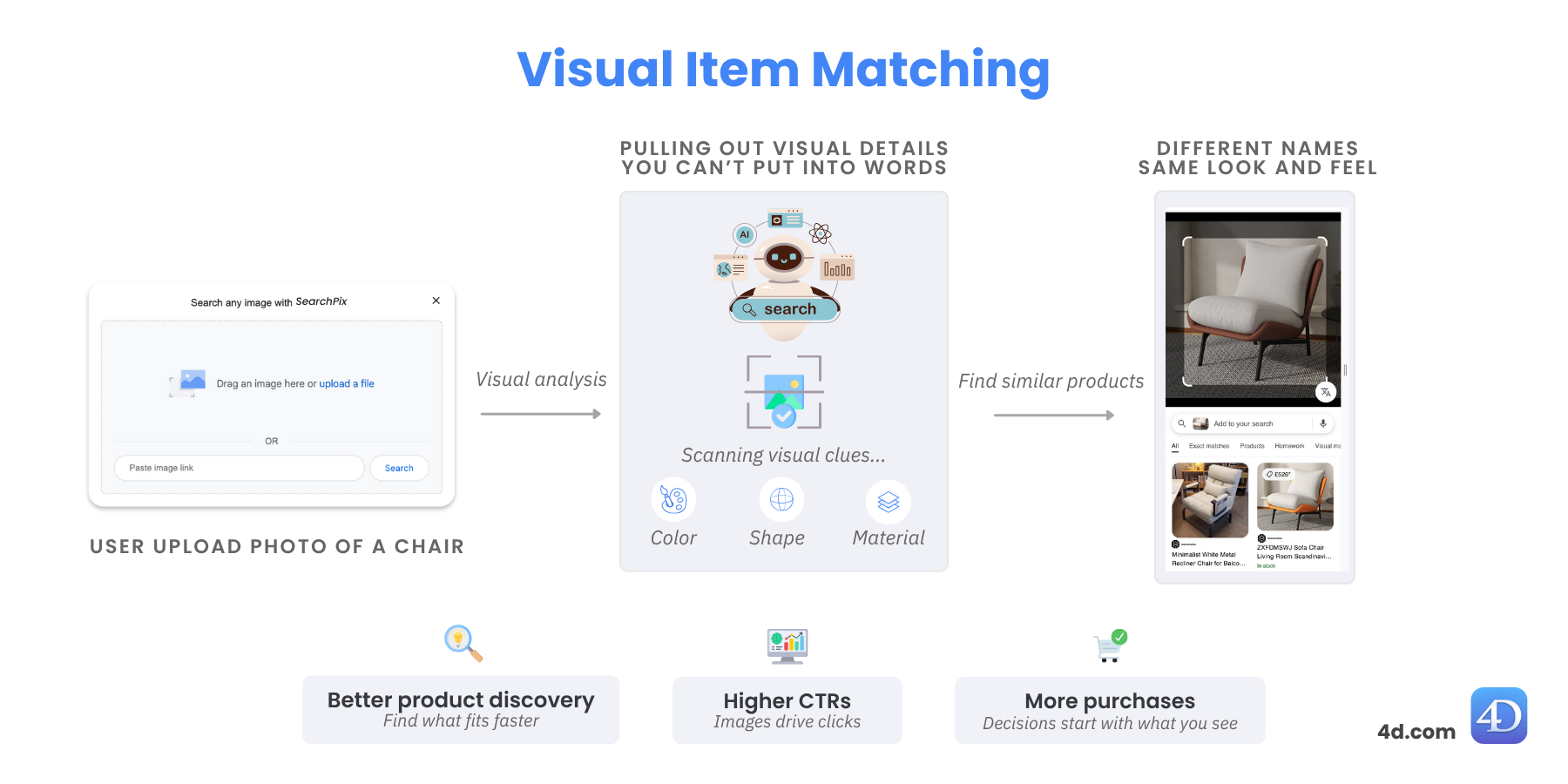
You open a web search engine, a modern tool that lets you upload a photo instead of typing keywords. You drop in a picture of a modern white armchair you saw in a hotel.
You don’t know what it’s called — and you don’t need to.
Without relying on tags, the system uses vector search to analyze shape, color, and material — surfacing Scandinavian lounge chairs, minimalist recliners, and more.
You find the perfect product in seconds.
That ease fuels visual commerce: better product discovery, higher ad CTRs, and more purchases inspired by images, not words.
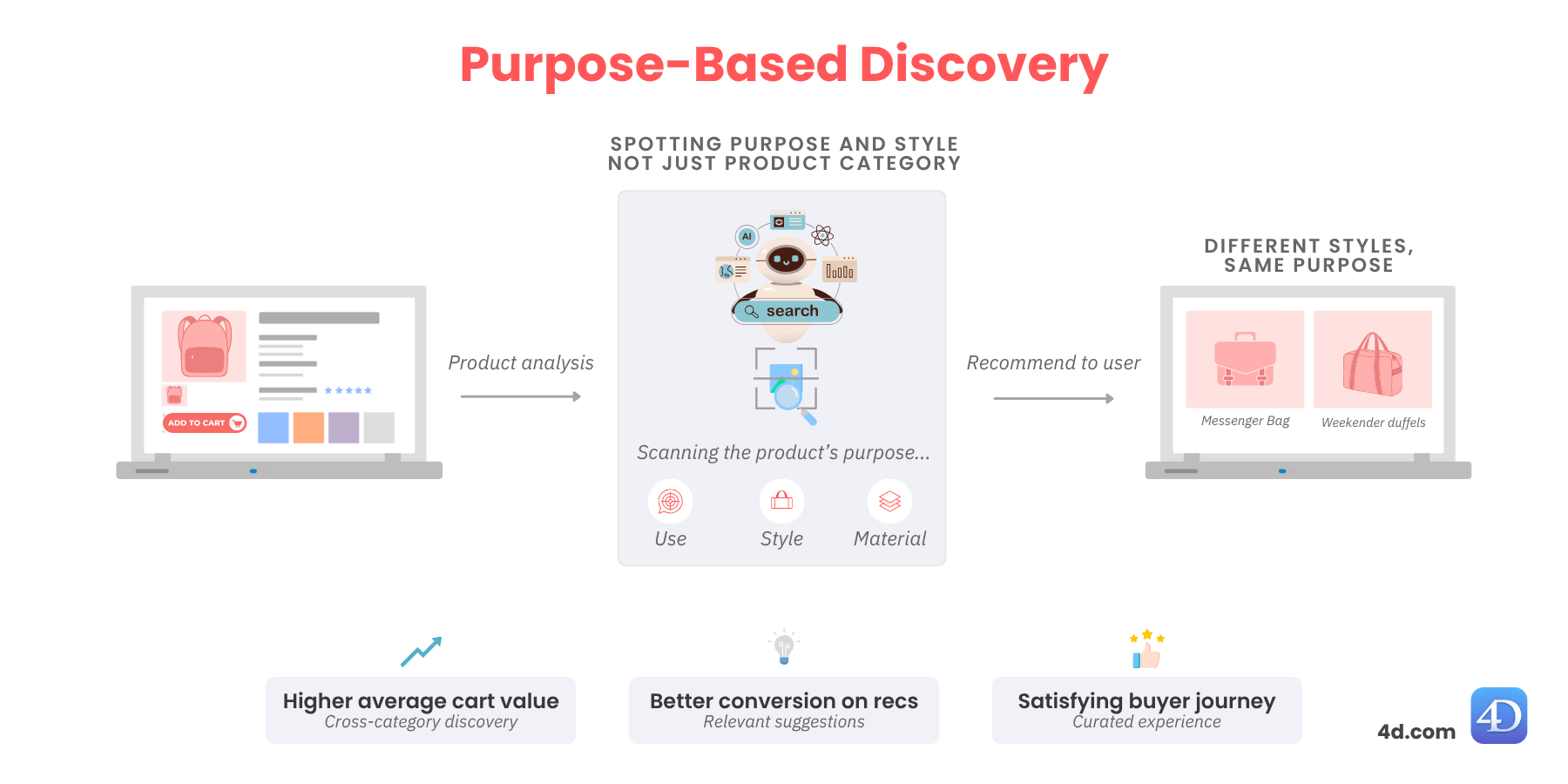
You open an online store, a modern e‑commerce platform that helps you discover products beyond simple categories. You click on a clean, pink backpack for travel. You like the aesthetic, but wonder what else is out there.
Without relying on categories, the system uses vector search to analyze use, style, and material — surfacing sleek messenger bags, tech‑friendly totes, and even weekender duffels. Different styles, same purpose.
It feels curated. You trust the recommendations. You add more to your cart.
That means higher average cart value, better conversion on recommendations, and a more satisfying path to purchase.
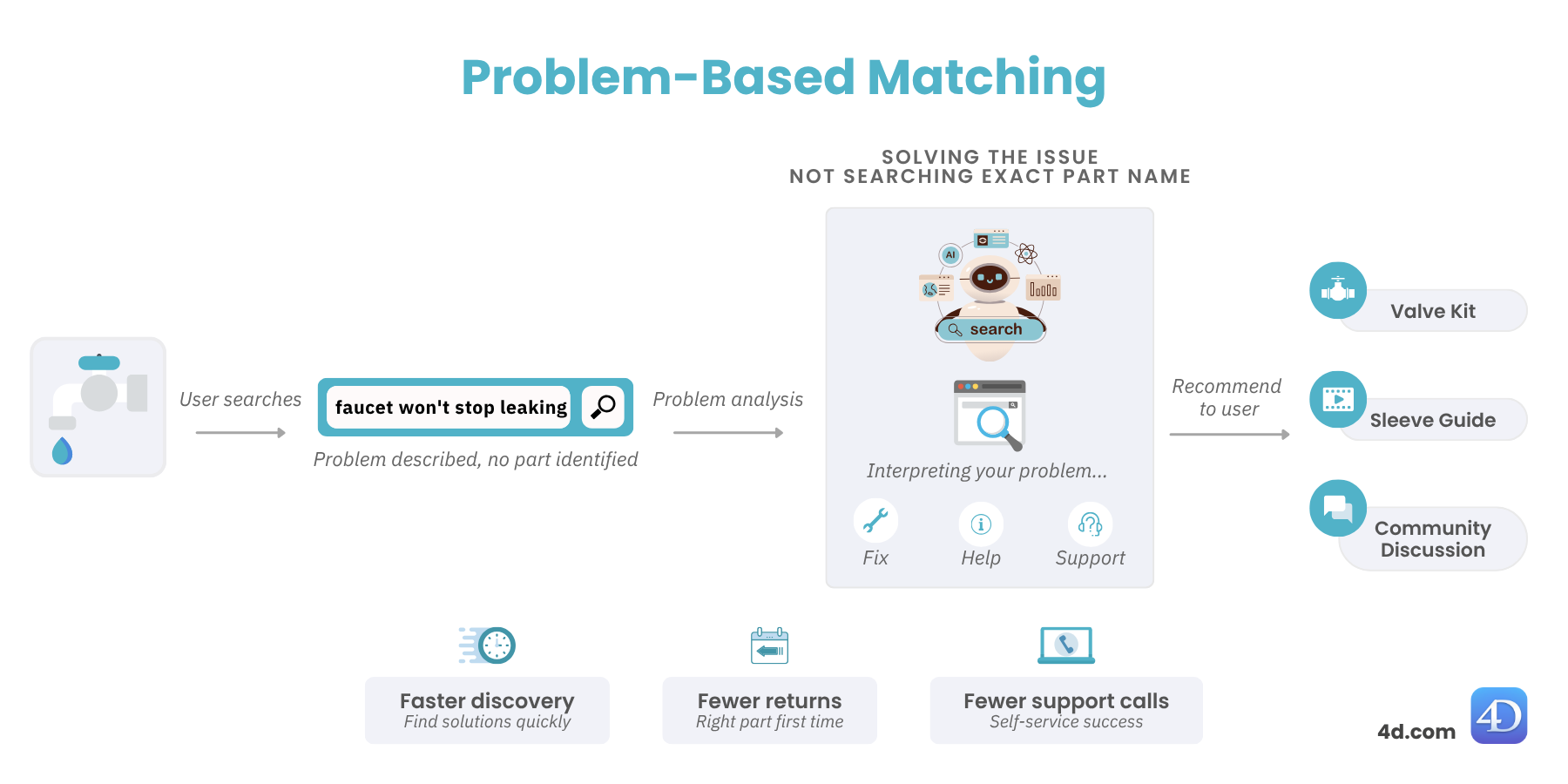
You open a retail site, like those where you’d shop for home repair supplies. You type in “faucet won’t stop leaking”. You’re not sure what the part is called — just the problem you need to fix.
Without relying only on keywords, the system uses vector search to interpret your problem and analyze what you’re really trying to fix — surfacing valve kits, compression sleeve guides, community discussions, and even how‑to videos.
You solve the issue in one visit, feel confident doing it yourself, and skip the support call.
That translates to faster product discovery, fewer returns, fewer support calls, and a smoother self‑service experience.
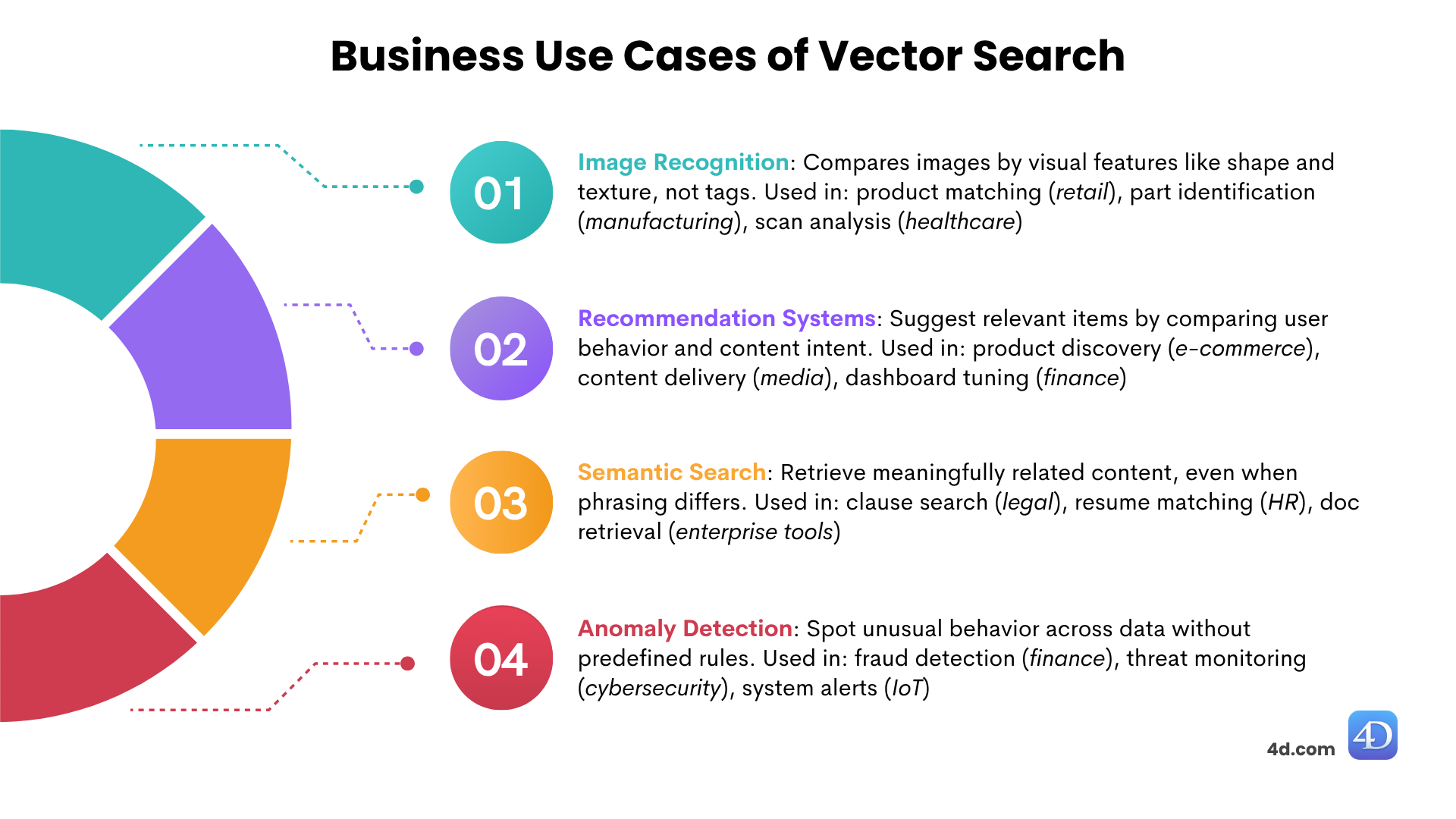
Vector search is not just a better search tool — it’s a new way of interacting with data that unlocks entirely new product experiences and decision-making workflows. Here’s how it shows up in real business categories and what each delivers:
Anomaly Detection: By learning what “normal” looks like, vector search flags deviations early. In finance, it detects fraud without fixed rules. In cybersecurity, it spots behavioral threats. In IoT and energy, it catches drift in system logs. Fewer false positives. Earlier alerts. Smarter monitoring at scale.
Your data already holds the answer. Your users already know what they’re looking for.
But if your search engine can’t bridge the two, it fails silently — and users blame the product.
Vector search changes that. It finds what users mean, not just what they say.
And in a world where attention is scarce and relevance wins, that’s not a feature — that’s your edge.
👉 Check the next post in this series — 4D vectors: what they are, how to create them with 4D.Vector, and how to choose the right similarity method for your use case.
Got a question, suggestion or just want to get in touch with the 4D bloggers? Drop us a line!
* Your privacy is very important to us. Please click here to view our Policy
Comments are not currently available for this post.