
Seamless Dependencies Management is coming to VS Code!

May 12, 2026
3 min read
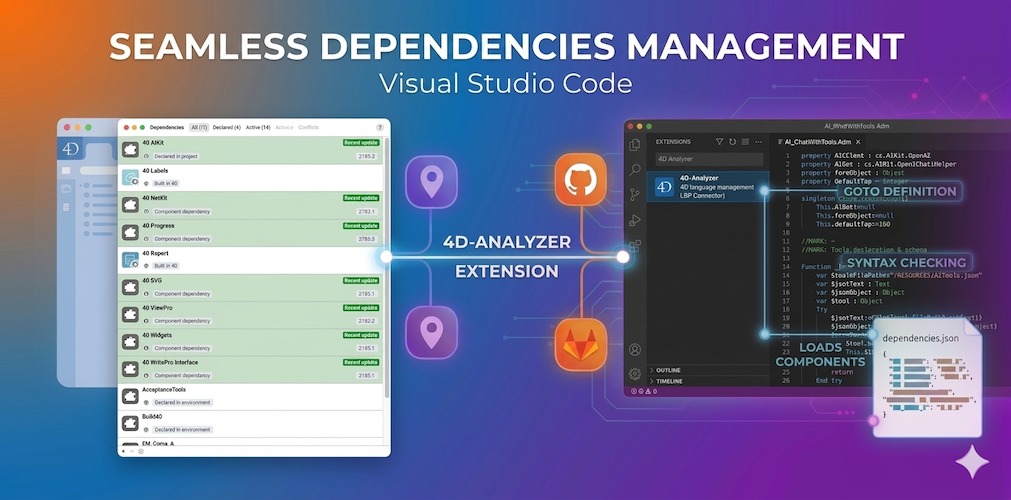
When we introduced the 4D Project Dependencies, our goal was simple: to take the headache out of managing components. Whether your components are stored locally or hosted on GitHub or GitLab, 4D handles the heavy lifting, downloading the right versions and ensuring everything is ready to go.
However, we know that many of you have embraced Visual Studio Code for its powerful editing capabilities, and additional features such as the Git and AI/Copilot integrations. Until now, there was a small gap in the experience: while 4D knew all about your dependencies, VS Code didn’t. This could lead to frustrating “ghost” syntax errors simply because the editor couldn’t see the components your code relied on.
With 4D 21 R3, we are bridging that gap. The 4D-Analyzer extension now fully supports the Project Dependencies, bringing the same seamless experience you love in 4D directly into VS Code.
Efficiency is at the heart of our mission. By allowing the 4D-Analyzer to “speak the same language” as the 4D Dependencies Manager, we ensure that your development environment is always synchronized. No more manual path configurations or misleading error highlights—just a smooth, professional coding workflow.
The extension now mirrors the behavior of the 4D IDE. It automatically detects and loads components defined in your project:
We’ve made sure this isn’t just a “copy” of the feature, but a smart integration. If your project relies on GitHub-hosted or GitLab-hosted components, the 4D-Analyzer shares the same local storage as 4D. This means no redundant downloads and no wasted disk space.
Even better: if you are already signed into GitHub within VS Code, the extension leverages that existing session to fetch your private or public dependencies. For GitLab, authentication is handled seamlessly through the official GitLab extension. If you aren’t signed in, the extension will gracefully prompt you to connect, ensuring your workflow remains uninterrupted.
To keep you informed without interrupting your flow, the VS Code status bar will now display the progress of any component being downloaded.

And because we know development is iterative, the extension is highly reactive: update your dependencies.json or environment4d.json, and the project reloads automatically to reflect the changes.
With 4D 21 R3, the 4D-Analyzer becomes the true backbone of your development ecosystem within VS Code. By streamlining how dependencies are loaded in VS Code, we are ensuring that your development environment is not only more stable and efficient today but also AI-ready for tomorrow. And by unifying how dependencies are handled across all your tools, we are making sure you can focus on what matters most: writing high-quality, modern code.
Are you using VS Code for your 4D projects? Tell us about your experience on the 4D Forums!
Got a question, suggestion or just want to get in touch with the 4D bloggers? Drop us a line!
* Your privacy is very important to us. Please click here to view our Policy
Comments are not currently available for this post.