
Apple Writing Tools – Now Available in 4D Write Pro and Text Input

July 22, 2026
4 min read
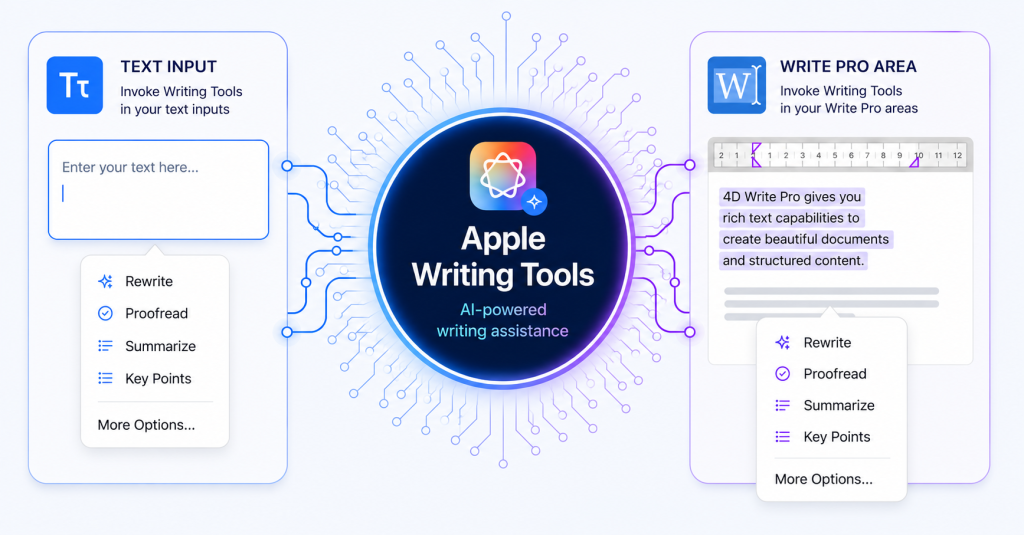
In the last couple of years, AI has taken the world by storm, helping us polish emails, sharpen essays, and elevate blog posts (including this one 😉 ). As part of this wave, Apple introduced Writing Tools: a suite of AI capabilities that let you summarize, rewrite, proofread, extract key points, and more, directly where you’re typing: no copy-pasting and no switching between applications. Besides, anyone with a Mac (macOS 15.2 or later) can use this new feature: no external service, no API key, and no additional code.
Starting 4D 21 R4, you can tap into the full power of the Apple Writing Tools directly inside your 4D applications, all with a simple right-click in a text input or a 4D Write Pro area, or by invoking the new standard action writingTools.
The screen recording below shows exactly how to use Apple Writing Tools in both a text input and a 4D Write Pro area.
In either case, the workflow is the same: right-click on the widget and select “Show Writing Tools” from the contextual menu, or trigger the standard action writingTools via a button or a menu item. That’s all it takes.
Even better, in most cases, your formatting remains intact: styles, applied style sheets, inline images, and hyperlinks are preserved, allowing you to take advantage of Writing Tools without disrupting your document’s layout (as shown in the recording below).
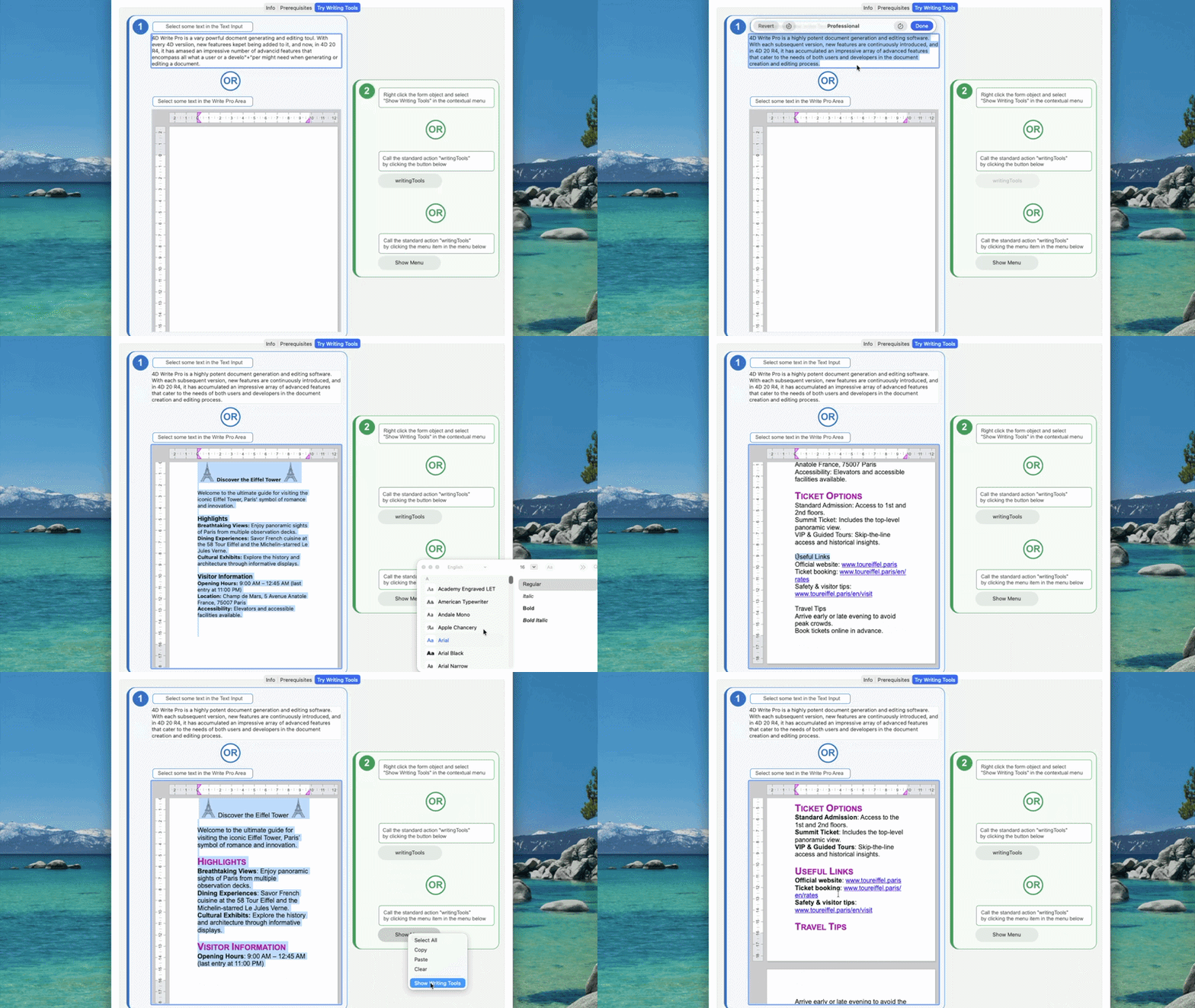
⚠️ Note: Formatting is preserved whenever possible. However, certain Writing Tools actions, such as extensive rewrites, may replace significant portions of the original text. In these cases, some styles, style sheets, inline images, or hyperlinks may not be preserved.
To get the most out of Writing Tools in 4D, a few conditions need to be met on both the system side and inside your 4D project.
Make sure your environment meets the following criteria before going further:
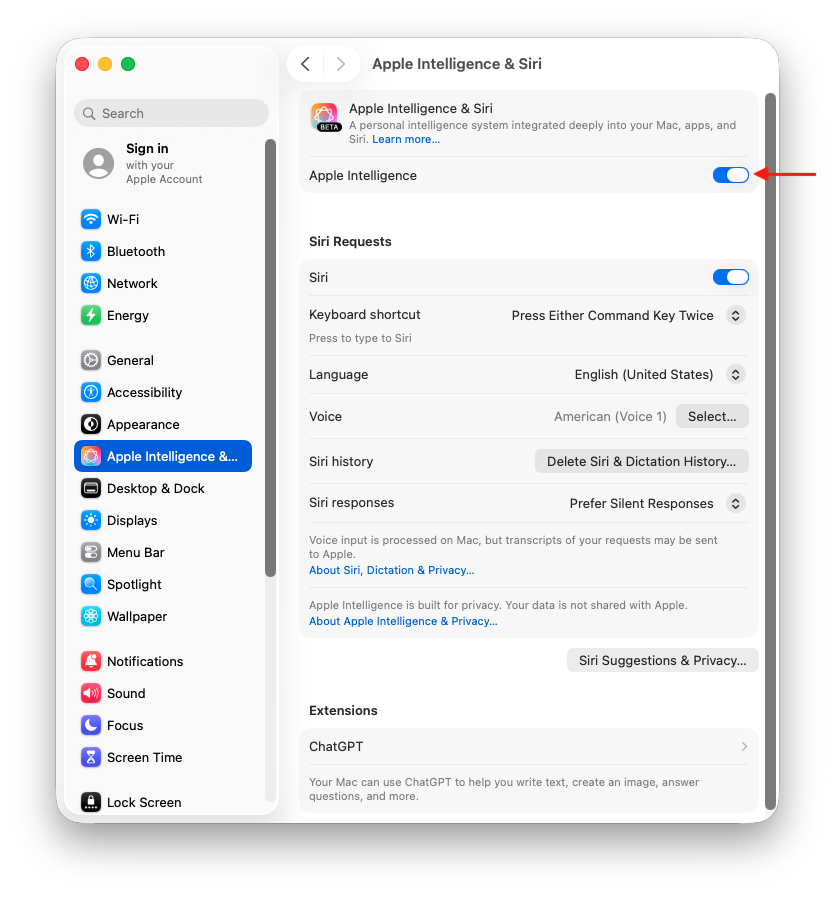
For full details on system compatibility, please refer to Apple Support.
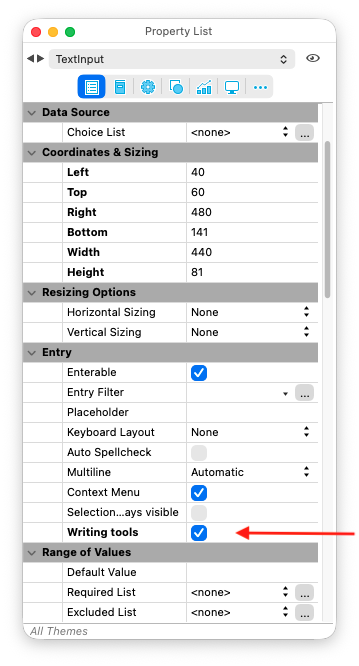
Once your system is ready, there are a few points to keep in mind when setting up your 4D forms:
With 4D 21 R4, integrating Apple Writing Tools into your 4D applications requires almost no effort; once your system is configured and your form objects are properly set up, everything is just a right-click away. That way, Apple Writing Tools become a natural extension of your text inputs and 4D Write Pro areas, allowing users to rewrite, proofread, summarize, and refine their content without ever leaving your application. On top of that, users get access to a fast, secure, and powerful AI assistant directly within the interfaces you build for them, with no external service, no API key, and no additional code.
Finally, as with every major platform innovation, 4D remains committed to delivering the best technologies to its users. We are closely monitoring the evolution of AI-powered writing capabilities on Windows, but at the time of writing, no equivalent technology offers the level of maturity and integration provided by Apple Writing Tools. As soon as such a solution becomes available, we’ll certainly explore bringing it to 4D.
To immerse yourself even more in this topic, check out the 4D documentation, or head to the 4D forum if you have any questions.
Got a question, suggestion or just want to get in touch with the 4D bloggers? Drop us a line!
* Your privacy is very important to us. Please click here to view our Policy
Comments are not currently available for this post.