
A 4D web server that knows when to say no

October 20, 2026
6 min read
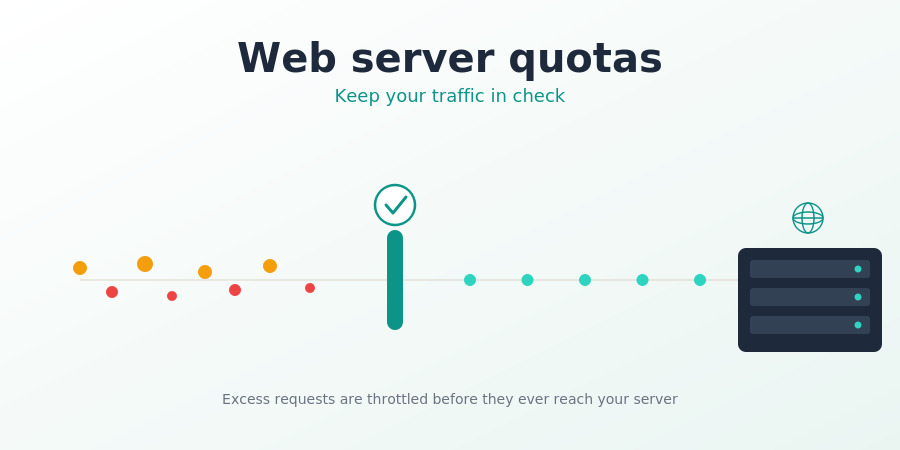
Fine-tuning your 4D Web Server’s workload is now a walk in the park. Starting with 4D 21 R5, your web server is no longer exposed to unintentional overload whether it’s excessive requested data volume, too many incoming requests, or an explosion of guest sessions.
Keep reading to discover everything you need to build a fully customized rate-limiting system for your web app server.
In a previous 4D 21 R4 blog post, we introduced a way to limit the number of entity sets in a REST session, the opening chapter of a much bigger story. Today, that story reaches a major (though not final) milestone.
With 4D 21 R5, your 4D Web Server can be finely tuned to keep inbound and outbound traffic under control, thanks to quotas.
This new feature doesn’t change your web server’s default behavior: out of the box, no quotas are applied. Depending on your needs, you can draw from a comprehensive range of quotas: use just one, use them all, the granularity is entirely up to you.
HDI_WebServer_RateLimitingQuotas
This feature complements, rather than replaces, reverse proxies, WAFs, firewalls, … and other services. These technologies protect the network perimeter and filter hostile traffic, while 4D provides application-level workload regulation inside the web server.
Its added value lies in its awareness of 4D sessions and application context: developers can define global and session-level quotas for requests, data volumes, sessions, and entity sets. This makes it possible to control malformed or excessive usage, MCP traffic, and business-specific workflows directly within the application.
Before diving into the details: for finer control, most quotas can be set at two levels:
You can rely on server-level quotas alone, session-level quotas alone, or combine both.
Benefit: session-level quotas put every user on equal footing, preventing any single user from hogging your web server’s resources.
Quotas let you keep a lid on:
The core principle: once a quota is exceeded, the server responds with an HTTP 429 – Too Many Requests.
Benefit: every angle that could overload your web server is covered: not just bytes in and bytes out, but requests too. You can cap idle guest sessions as well as the number of concurrent user sessions.
Quotas throttle your web server’s usage gracefully, telling users the server isn’t down or crashed, it’s simply doing its job, moderating load to stay reliably available.
Quotas come in two flavors:
These cover:
They rely on a time-window system, at both the minute and hour level, so you can define the maximum number of bytes (or requests) your web server, and/or its sessions, can handle within a one-minute or one-hour window.
Once a quota is exceeded within a time window, the server returns an HTTP 429 until the next window opens.
These quotas can be configured at both server-global and session level.
Benefit: combining one-minute and one-hour windows gives you very fine-grained control, smoothing out minute-by-minute peaks while still enforcing an hourly ceiling.
Apply the same logic at session level, and you regulate each user’s activity individually, preventing any one of them from eating up all your bandwidth.
These cover:
These are absolute counters: once a quota is exceeded, the server returns an HTTP 429 until the counter drops. For example, once a session closes, freeing up room for a new one.
Benefit: this nicely complements rate-limiting quotas by also regulating the number of users, not just their traffic.
The WEB Server object exposes a quotas property, an object that is, more precisely, an instance of the 4D.QuotaManager class.
There are three ways to configure quotas: pick whichever fits your architecture best:
1- Update the quotas object on the fly, once the web server is already running:
var $quotas : 4D.QuotaManager

$quotas:=WEB Server().quotas

$quotas.inBytesPerMin:=10000000
2- Pass a quotas object when starting the web server:
var $quotas:={}

$quotas.inBytesPerMin:=20000000

WEB Server().start({quotas: $quotas})
3- Use a HTTPQuotas.json configuration file, read automatically at start up:
  {
    "inBytesPerMin": 10000
  }
Benefit: total flexibility. Whatever your deployment looks like, one of these options will fit.
var $quotas:={}

// Maximum number of input bytes accepted in a one-minute time window on the web server
$quotas.inBytesPerMin:=20000000

// Maximum number of sent bytes in a one-minute time window in a session
$quotas.outBytesPerMinPerSession:=10000000

// Maximum number of allowed sessions on the web server
$quotas.nbSessions:=50

// Maximum number of not authenticated sessions on the web server
$quotas.nbGuestSessions:=10

// Maximum number of accepted requests in a one-minute time window on the web server
$quotas.nbRequestsPerMin:=500

// Maximum number of accepted requests in a one-hour time window on the web server
$quotas.nbRequestsPerHour:=20000

WEB Server().start({quotas: $quotas})
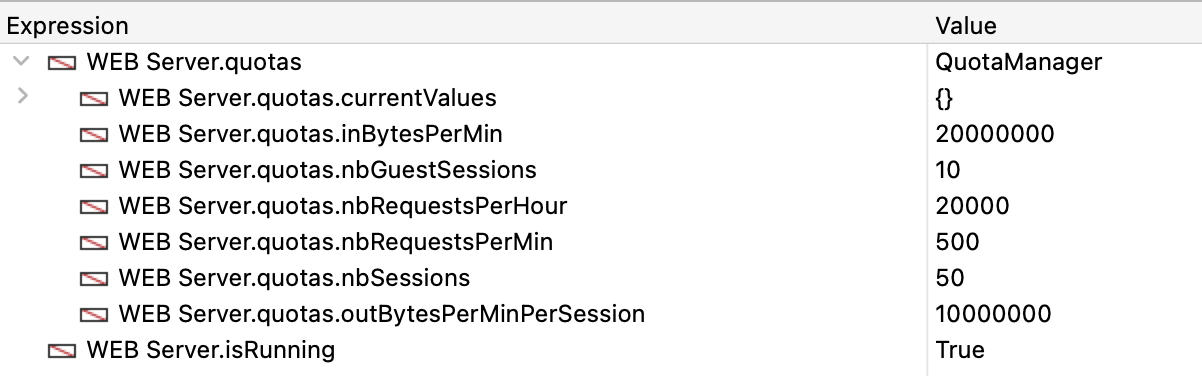
Here’s what you’ll see in the debugger:
Note:
nbRequestPerHour isn’t simply nbRequestPerMin × 60 (which would be 30,000). It’s deliberately set lower, at 20,000. This way, even a workload that maxes out the per-minute quota during several single minutes still can’t sustain that pace for almost an hour, giving you a genuine hourly ceiling rather than just a restated minute quota.
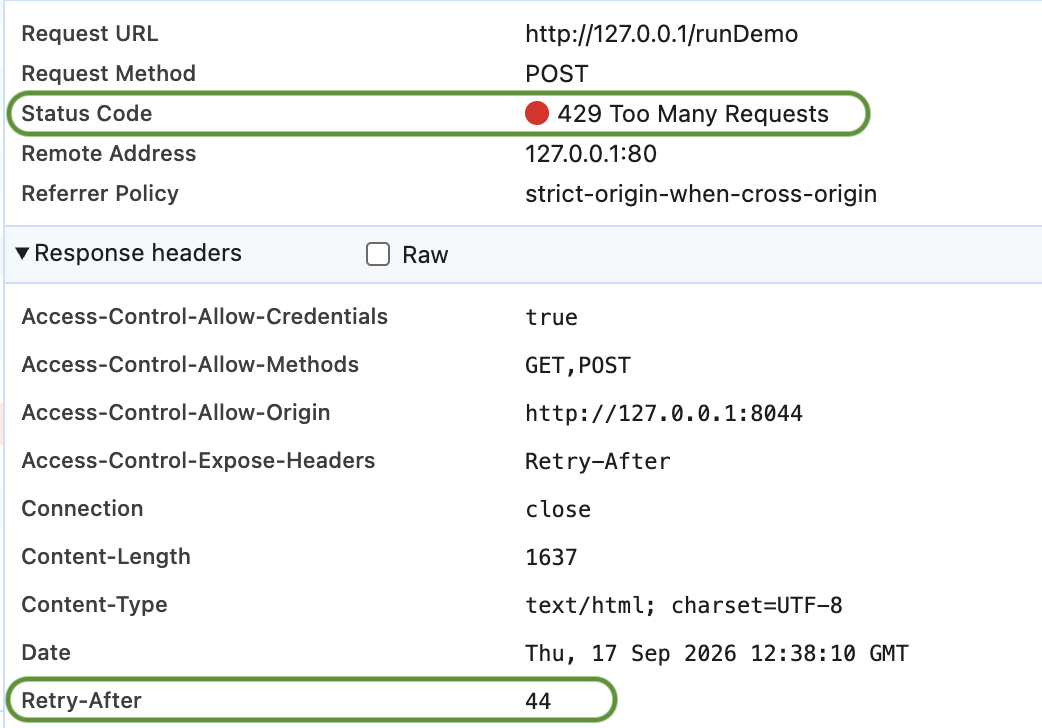
While users work with the application, each time a quota is exceeded, the server returns an HTTP 429 – Too Many Requests.
When relevant, the Retry-After response header tells the client exactly how many seconds to wait before trying again:
Try it yourself with the detailed HDI, dig into the full details in the documentation and feel free to share your experience on the forum.
Forget overloaded server slowing down. Put your web server’s best performance to work today.
Got a question, suggestion or just want to get in touch with the 4D bloggers? Drop us a line!
* Your privacy is very important to us. Please click here to view our Policy
Comments are not currently available for this post.