
Manage Git Without Leaving 4D with 4DPop Git

September 29, 2026
5 min read
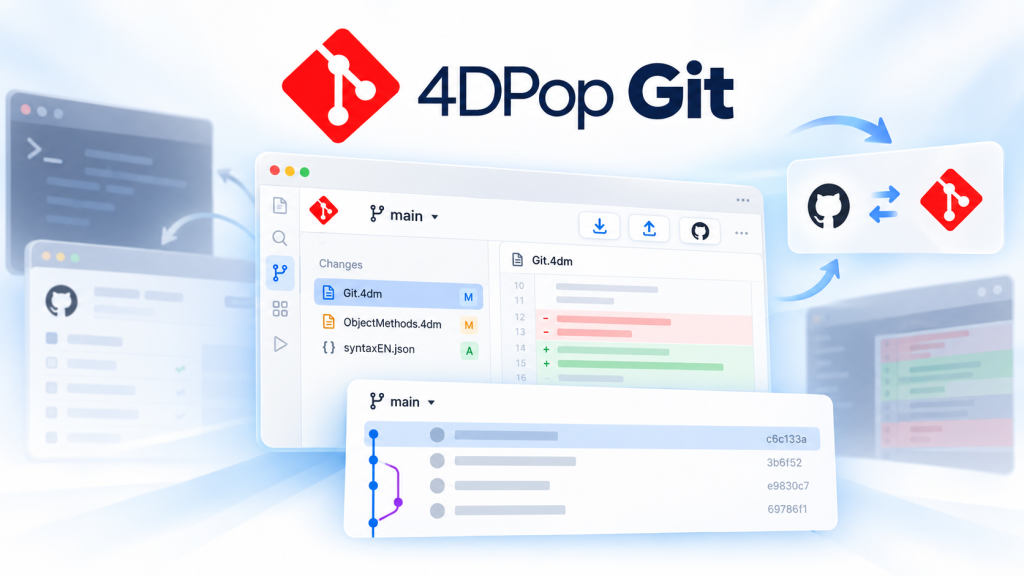
When a 4D project is managed with Git, even a small code change can send you across several tools. You edit the code in 4D, open a terminal to inspect the repository, use a diff application to review changes, then switch to a browser for GitHub.
That context switching adds friction to a workflow that should stay focused on one thing: understanding and improving the code.
4DPop Git brings common Git and GitHub operations directly into the 4D IDE. It gives 4D developers a visual way to review changes, prepare focused commits, explore history, switch branches, and synchronize a project without leaving the environment where they already work.
The Git widget is available directly from the 4DPop toolbar, giving you a quick view of the repository without opening another tool.
From the widget, you can see:
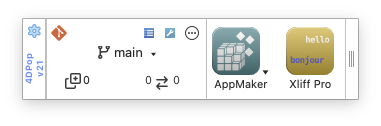
You can also refresh the repository, open the main Git window, switch branches, and access repository settings from the same place.
If the project is not yet a Git repository, 4DPop Git can initialize it for you. This creates the local .git folder so Git can start tracking the project. It does not automatically create a remote repository.
After modifying a method, the next step is usually to understand exactly what changed before committing it.
The Changes page separates your local modifications from the Git index. You can select a file, inspect its diff, choose which changes belong in the next commit, and write the commit message from the same window.
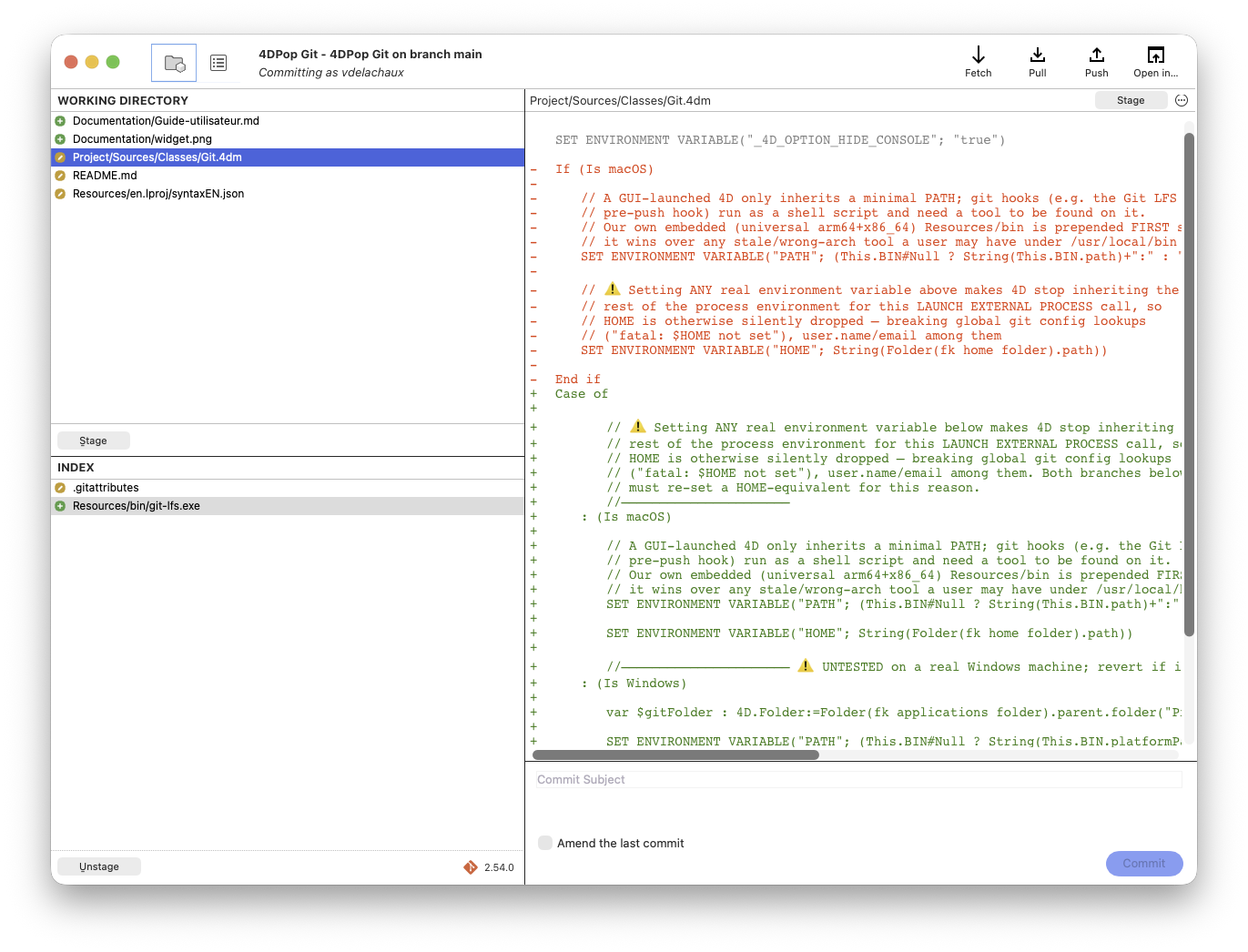
This separation becomes especially useful when several unrelated changes exist in the same working directory. Instead of staging everything together, you can prepare smaller, more focused commits that are easier to understand and review later.
The file menu also provides practical actions for working with individual changes. You can open a file in the 4D code editor or an external diff tool, copy its path, add an ignore pattern, or discard a local change after confirmation.
Before updating .gitignore, 4DPop Git also lets you preview the pattern that will be added.
Sometimes the important question is not only what changed, but how the code reached its current state.
The History page displays commits alongside a color coded graph showing branches and merges. Local branches, remote branches, tags, and stashes appear directly in the graph, giving you a clearer view of the repository structure and its evolution.
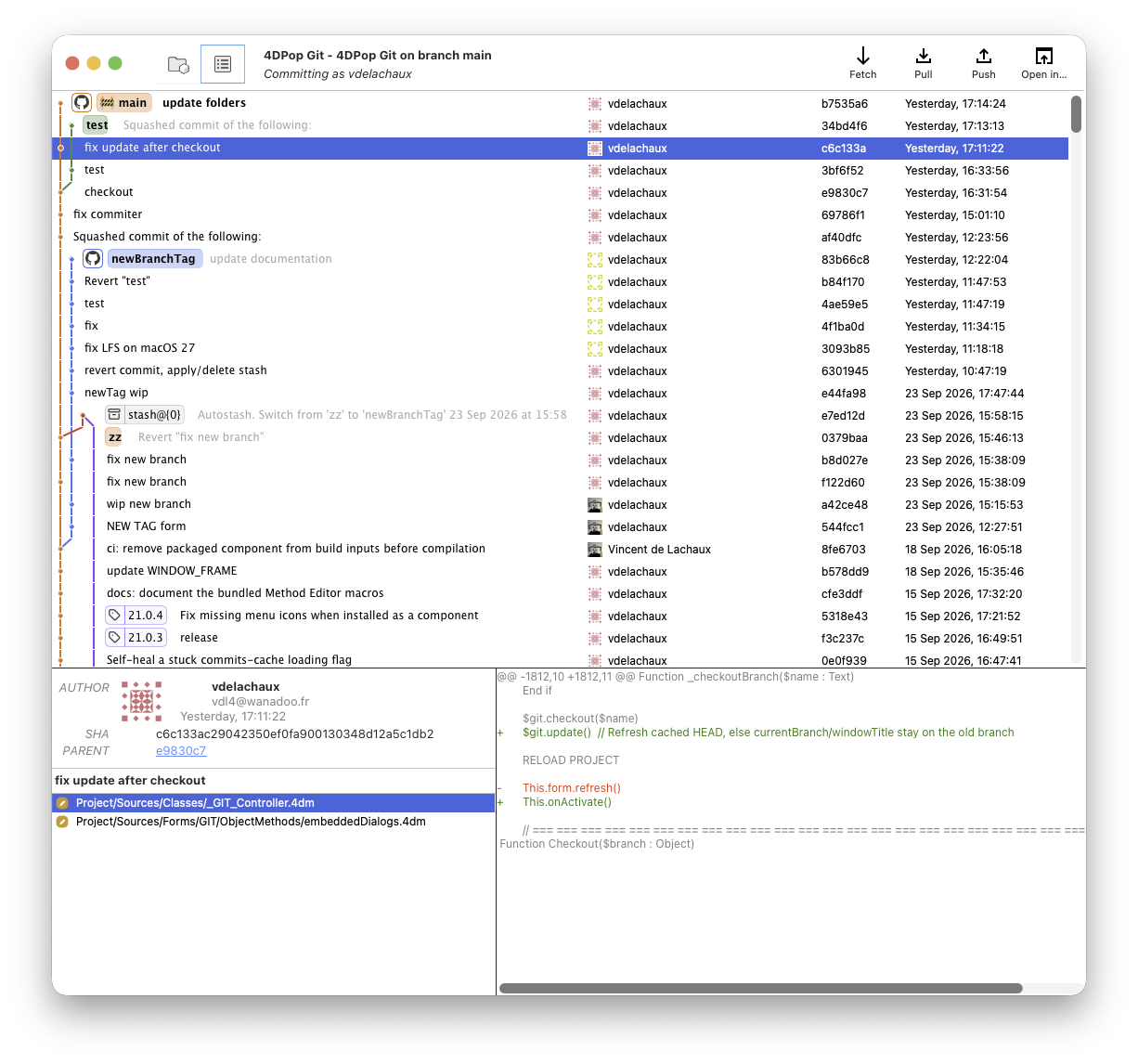
Select a commit to inspect its author, date, identifiers, changed files, and the diff against its parent commit.
History is loaded in the background, so you can continue using the interface while 4DPop Git reads larger repositories.
4DPop Git also adds two macros directly to the 4D method editor:
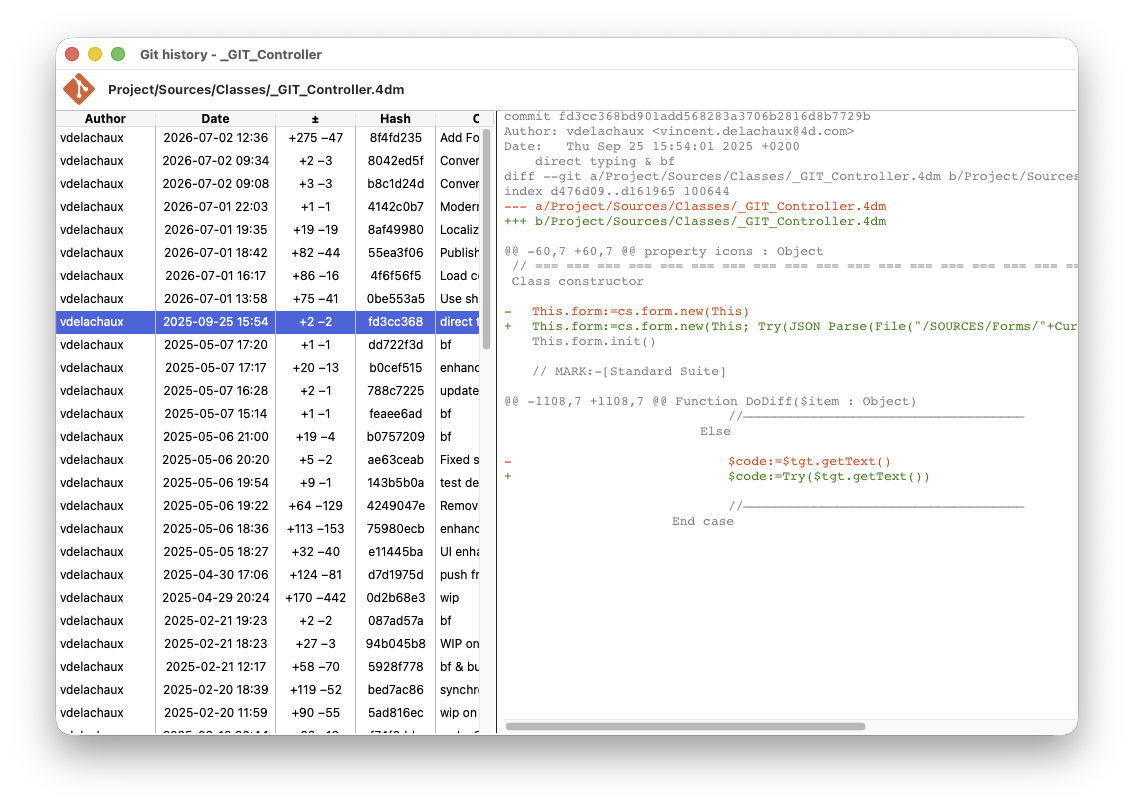
These actions give you useful context without interrupting your coding flow. When you encounter older business logic, investigate a regression, or prepare a fix in a shared codebase, you can quickly see when a change was introduced and where it came from.
Once your changes are ready, you can fetch, pull, and push directly from the Git widget or the main window.
Pull supports merge and rebase workflows, with the option to automatically stash local changes when needed.
Push can publish a branch and also supports –force-with-lease when rewriting remote history is intentional.
If no remote repository is configured, Publish to GitHub simplifies the setup. It uses the GitHub CLI device flow for authentication, then lets the component create the GitHub repository and push your local commits.
This means you do not need to manually copy and manage a GitHub token inside 4D.
With 4D 21 or later, you can install 4DPop Git through the Dependencies Manager by adding the following GitHub dependency: vdelachaux/4DPop-Git
Git must also be installed on the computer because the component uses the local Git executable.
The GitHub CLI is optional, but recommended if you want to use the Publish to GitHub workflow.
4DPop Git is not limited to its visual interface. It also exposes a scriptable API through the git class store namespace.
For example, a host project can stage changes, create a commit, and push it directly from 4D code:
var $git : cs.git.Git:=cs.git.Git.me

$git.add("all")
$git.commit("Update customer dashboard")
$git.push()
The API provides access to repository status, branches, remotes, tags, stashes, history, diffs, Git LFS, and command results.
This gives you the flexibility to build repository aware actions into your own 4D tools and workflows instead of limiting Git operations to manual interaction.
4DPop Git is designed for 4D projects. Binary databases such as .4db and .4dc are not managed as individual project files, so they do not offer the same Git workflow.
4DPop Git brings repository status, history, diffs, commits, and synchronization closer to the code you are already working on.
You can review changes without jumping between applications, create cleaner commits, understand how a piece of code evolved, and handle everyday Git operations directly from 4D.
Ready to try it?
Visit the 4DPop Git repository on GitHub for installation instructions, user guides, screenshots, and API documentation.
You can also share your feedback and workflow ideas on the 4D Forum.
Got a question, suggestion or just want to get in touch with the 4D bloggers? Drop us a line!
* Your privacy is very important to us. Please click here to view our Policy
Comments are not currently available for this post.