
Fluent UI Comes to List Forms

October 19, 2026
3 min read

When we introduced Fluent UI, the goal was clear: let your 4D applications adopt the modern Windows look and feel with almost no effort.
Release after release, Fluent UI support has expanded across the different form types and matured into a robust, production-ready feature. Today, with 4D 21 R5, we consider Fluent UI ready for everyday use and are removing the Developer Preview designation. Today, Fluent UI takes another significant step forward: list forms now benefit from the same modern rendering as the rest of your application.
While many modern applications rely on list boxes, numerous existing projects still use list forms, whether displayed with MODIFY SELECTION or as list subforms in detail forms. These forms now benefit from the same Fluent UI rendering, bringing a consistent look and feel across your entire application.
With Fluent UI enabled, list forms now adopt the same native Windows rendering as your detail forms and dialogs.
All forms and form objects blend naturally into the latest Windows design language, giving your application a consistent look from one screen to the next.
Nothing needs to be redesigned. Your existing list forms automatically benefit from the new rendering while preserving their behavior, layout, and functionality.
One of the biggest gains in this release is full Dark Mode support.
Until now, enabling Fluent UI gave your detail forms a beautiful dark appearance, but list forms remained rendered using the classic engine. The result was an interface where detail forms followed the system theme while list forms still used the classic rendering, creating a visible inconsistency throughout the application.
Now, your list forms automatically adapt as well.
Whether Windows is using a light or dark theme, your entire application follows the same appearance, providing a much more immersive and professional user experience.
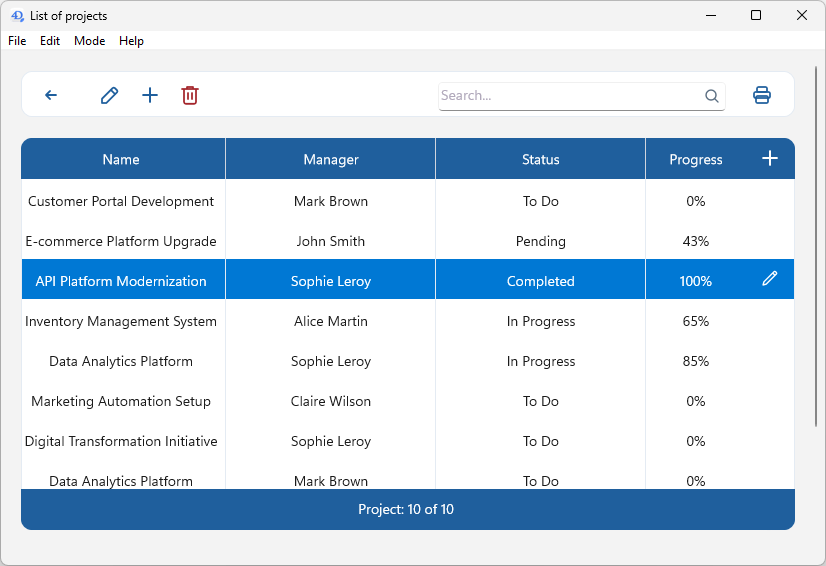
Light mode
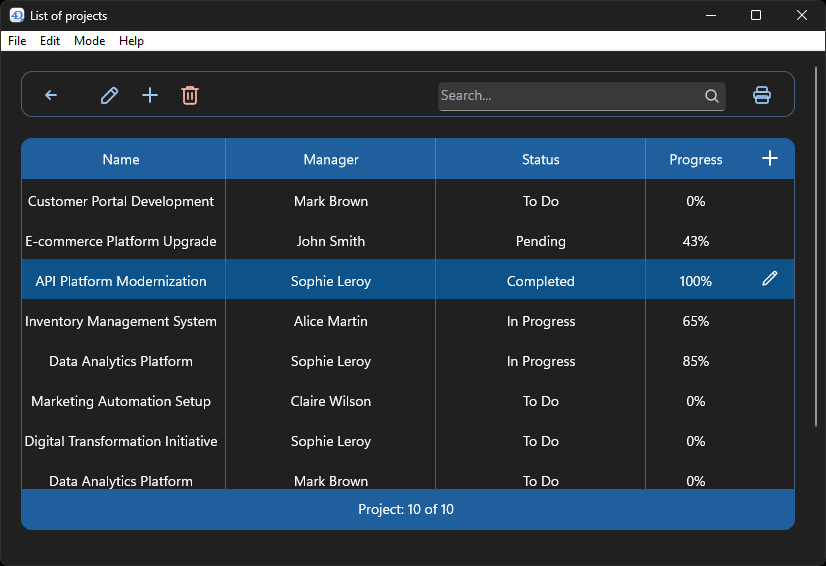
Dark mode
If Fluent UI is already enabled for your project, list forms automatically use the new rendering. You can also enable or disable it on a per-form basis using the existing “Widget Appearance” property.
No code changes. No form redesign. Just a modern Windows experience, instantly.
This new milestone brings Fluent UI much closer to covering every part of a 4D application.
By extending modern rendering to list forms, another part of the interface now benefits from Fluent UI. Your applications offer a more consistent experience, fully embrace Dark Mode, and feel even more at home on Windows 11.
Got a question, suggestion or just want to get in touch with the 4D bloggers? Drop us a line!
* Your privacy is very important to us. Please click here to view our Policy
Comments are not currently available for this post.