
Compile Your Components Directly from the Host Project

October 20, 2026
3 min read
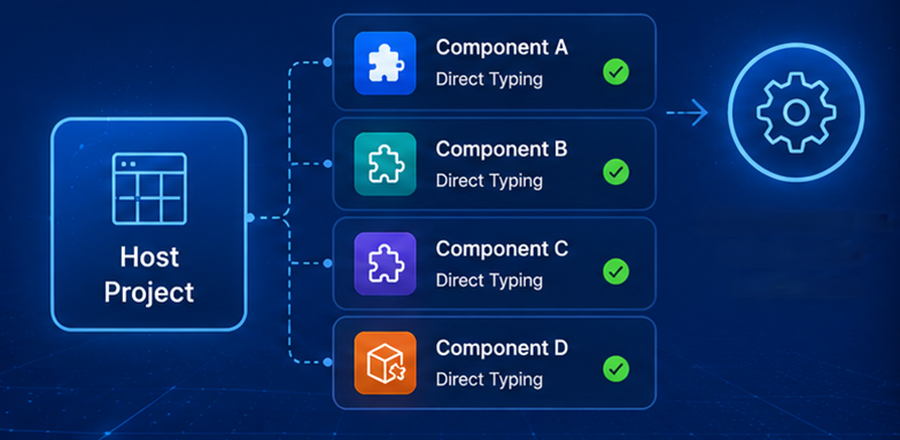
Managing components across multiple projects is now simpler than ever. With 4D 21 R5, you can compile your components directly from the host project’s Compiler window.
No more uncertainty about which version was compiled or additional manual steps before deployment; everything is handled from a single place.
When a host project relies on several components, keeping every compiled version synchronized can quickly become challenging. This new workflow eliminates that risk by allowing the host project to compile its components on its own. As a result, your host project and its components are compiled together, ensuring that every build includes the correct versions while reducing deployment issues caused by outdated compiled code. Everything is managed from a single interface, making the entire workflow much simpler.
Not all components are eligible for compilation from the host project. To be compilable, a component must meet specific requirements: it must be a project component with its source code available locally, rather than downloaded from the Dependencies Manager. Additionally, Direct Typing must be enabled for the component, as it allows components to be compiled in any order without dependency constraints.
The Compiler window has been modified to make component compilation more intuitive. It displays the host project alongside all compatible components, allowing you to select one or several components for compilation, syntax checking, or clearing compiled code. If no compatible components are available, the component list is hidden. You can also open the Compiler directly from the Explorer by right-clicking a component.

Compilation diagnostics have been modified to make troubleshooting easier. Errors and warnings are now organized by component, allowing you to quickly focus on the affected part of your project. In addition, each message includes the component name next to the corresponding method or class, making it immediately clear where the issue originates.
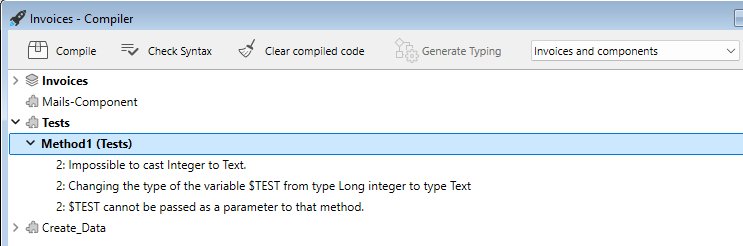
Each component retains its own compiler configuration. During compilation, 4D automatically applies the settings defined for every component, ensuring that each one is built exactly as intended without requiring any additional configuration.
However, the symbol and error files are managed according to the host project’s compiler settings and are stored in the host project’s Logs folder.
Every project component created from the host now has a namespace. By default, the namespace is generated from the component name while respecting ECMAScript naming rules. Invalid characters are automatically deleted, and if the name starts with a digit, that leading digit is removed.
Compiling components directly from the host project gives you complete control over what goes into your application. Instead of managing compiled components separately, everything happens through a single build workflow, reducing the risk of version mismatches and making deployments far more predictable.
Whether your project contains a single reusable component or a large collection of components, this new feature makes component compilation faster and easier to manage.
This feature is available in the latest version of 4D and further streamlines component development by bringing compilation directly into the host project. Automated build management for components from the host will be coming soon, taking this workflow even further. Give it a try and let us know how it improves your workflow.
Got a question, suggestion or just want to get in touch with the 4D bloggers? Drop us a line!
* Your privacy is very important to us. Please click here to view our Policy
Comments are not currently available for this post.