
Offer a web-browser-based-access to your 4D application with 4D Qodly Pro

August 17, 2026
5 min read
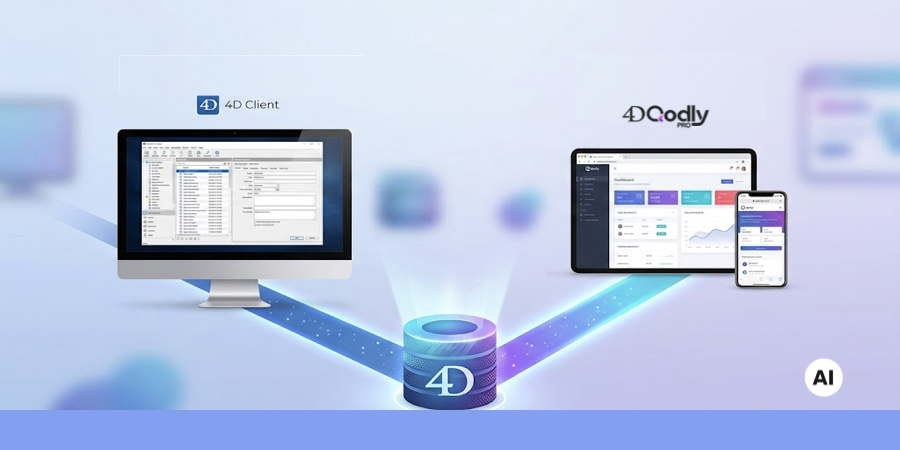
For several years your 4D app has been running in client-server mode. This is a common way to deploy an application.
For some use cases, such as working from home or on the road, browser-based access could be a better approach.
Well, well … Interesting, isn’t it? Keep reading this blogpost to discover how your client-server application can also be made available via a web browser.
While the 4D form editor is optimized for desktop applications, we can use Qodly Studio to build web forms, optimized for web browsers.
Both use the same data, the same structure, and the same 4D code. It is easy even if you aren’t an expert in web development.
So far, you are used to the client server mode for development and deployment. You know so much about the client-server paradigm, twin processes, and building applications that they hold no secrets for you anymore.
This is a great step, and you can go even further.
This is not about building a web page, it is about building a web based access to your professional business application. Instead of, or in addition to, using a dedicated desktop application, your end users can use it as a private web app.
There are no additional license costs, a 4D user license can be used either to connect through a desktop client or using 4D Qodly Pro through a web browser.
It offers a lot of advantages: flexibility and usability on any device (tablet, mobile, computer). Your end users just need a browser. They have nothing to install or upgrade on their workstation!
Thus, this extends user access to your 4D application. Two options are available for your end users.
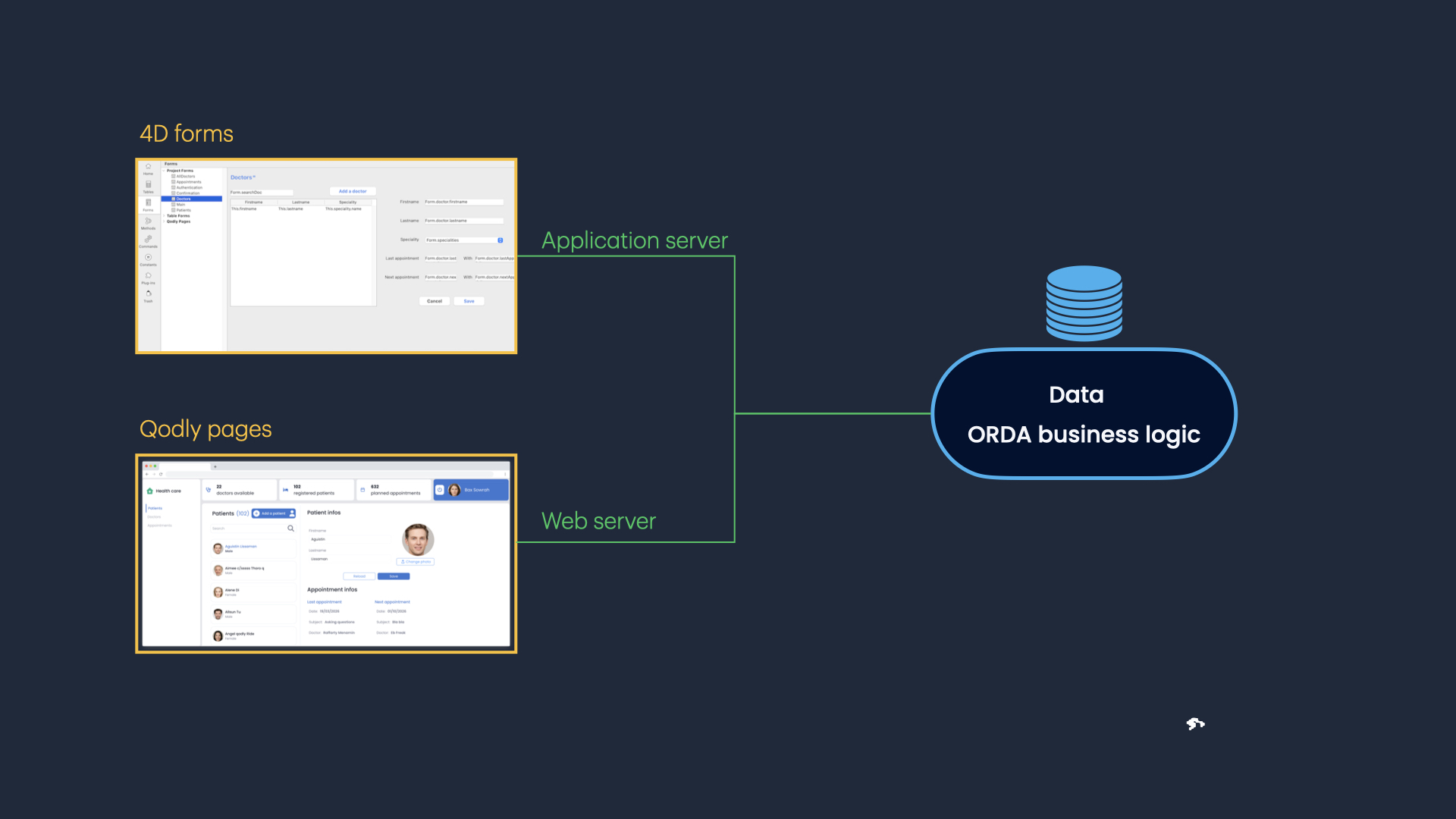
4D Qodly Pro offers all the tools you need to design, build and run web forms for your 4D application. Fully integrated to 4D, it comes out of the box. And just like 4D, it is easy to use, accessible and embedded in the 4D world.
Complex and overwhelming technical matters are handled internally by the product, freeing your mind to focus on your business success story.
Discover here all the amazing benefits you could get.
Here is the story:
The provided demo features an internal client server application used in a clinic by secretaries to handle:
Want to see this in action?
Watch the video below to have an overview of how this demo is available as a typical desktop client as well as a web application at the same time.
The web-browser-based access is just another type of client using the app. The data file is shared by both clients.
Looks impressive, doesn’t it?
The good news is that to make your 4D application available as a private web app, you only need to focus on the front end part because all the back-end business logic you have already developed for your 4D app can be reused by your 4D Qodly Pro app!
One of the main answers is that this is what end users want. They ask for a smart and user-friendly design, as well as easy-to-use software.
But this is not the only advantage of web-browser-based access over a typical desktop client.
Here are some other benefits:
| You need to: | Benefits |
|---|---|
| Elaborate modern UI designs |
4D Qodly Pro natively supports CSS, plus exclusive features like page states, allowing you to easily reproduce web designers mockups Many customizable templates are also available |
| Implement advanced, interactive components with an intuitive user experience |
4D Qodly Pro offers a wide range of custom components, such as maps. |
| Build a responsive UI opened to mobile devices | 4D Qodly Pro allows you to design responsive pages |
| Easily deliver or upgrade your app for the end users |
Just deploy your project on 4D Server, end-users have nothing to install or update Let end users work with their favorite browser |
Providing upgrades is immediate. The user experience is much better.
Benefits are there for all teams: developers, administrators and end users!
As you can see, it is easy to offer your end users two ways to use your app. This opens a lot of perspectives regarding the future:
If your plan is to migrate the desktop client access to a web-browser-based access, this is a good way to achieve your goal.
Several strategies can be used:
– Progressive migration: during a transition period, end users can use both apps simultaneously. They have time to find bugs and get used to the web-browser-based access.
– Big bang migration: prepare the web app and, at a given date, deploy it, stop the remote client access and let the users work with the new web app
– Migration with pilot users: restrict access to the web app to pilot users to get complete feedback before the transition.
Don’t wait to start your first Qodly pages!
Got a question, suggestion or just want to get in touch with the 4D bloggers? Drop us a line!
* Your privacy is very important to us. Please click here to view our Policy
Comments are not currently available for this post.